by super | Oct 18, 2025 | Elpro Technologies, Elpro Technologies Post
Did you know that nearly 60% of users will ditch a kiosk if they find it difficult to use? That is a huge loss for any business. The secret to keeping those users engaged is simple: excellent kiosk design best practices. When kiosks are designed well, they become intuitive, efficient and dare I say, even a pleasure to use. Prioritizing user experience is no longer optional; it is the key to unlocking business success.
Think about the last time you interacted with a kiosk. Was it smooth sailing, or did you wrestle with confusing menus and unresponsive buttons? I have found that a user centered approach is the foundation of any positive kiosk experience. In my experience, strong kiosk UX directly translates into better business results. When you invest in user centered kiosk design, you invest in happy customers and a growing business. A well designed kiosk will provide:
- Enhanced Customer Experience: Transactions become quicker and tasks become simpler.
- Reduced Frustration: Errors are minimized and users do not give up.
- Improved Brand Image: Your organization looks good.
- Increased Efficiency: Processes are optimized and wait times are reduced.
I have seen companies that put user centered kiosk design best practices first report happier customers, higher transaction completion rates and lower support costs. These are not just ideas; they are real results from putting users first.
Knowing Your Users: The Start of Good Kiosk Design
Before you start designing, you need to know your audience. What do they need? What are their goals? How comfortable are they with technology? User research is key, and my plan usually includes:
- User Interviews: I talk to potential users about their past kiosk experiences.
- Surveys: I collect information on what users like and what they expect.
- Usability Testing: I watch users as they use kiosks or prototypes.
- Analytics Review: I look at data from existing kiosks to find areas to improve.
For example, when you are designing a kiosk for senior citizens, you have to think about things like larger fonts, easier directions and simple navigation. I remember one project I did for a senior center where the first kiosk design was a failure because it assumed users knew too much about technology. After talking to users, I changed the design to include larger buttons, simpler language and voice prompts. Kiosk usage went up a lot, and the feedback was very positive.
Important Kiosk User Interface (UI) Design Ideas
The user interface is what your kiosk looks like and how users interact with it. A good UI is easy to understand, looks good and is easy to move around in. Here are some main ideas to guide your kiosk design:
1. Keep Kiosk Design Simple
Get rid of anything extra. Focus on what is important and make sure it is easy to find. Use language that is easy to understand and do not use technical words. Do not put too many choices on each screen or users will get confused. You want to guide users easily through each step.
2. Make it Easy to Touch
Since kiosks are mostly used by touching the screen, your kiosk design has to work well for touch interaction. Make sure buttons are big enough and easy to tap. Let the user know when they have touched something. The touchscreen needs to be quick and correct.
I have seen kiosks fail because the touch areas were too small or too close together. Think about users who might be wearing gloves; the touch areas need to be large. Test with different hand sizes.
3. Make Sure Everyone Can Use It
Accessibility is often forgotten, but it is important to make sure everyone can use your kiosk, no matter what their abilities are. Follow accessibility rules like WCAG (Web Content Accessibility Guidelines) to make your kiosk accessible to people with disabilities. Use alternative text for images, use high color contrast and include keyboard navigation.
Think about things like adjustable screen height, audio output and tactile keypads. I once designed a library kiosk that had a footrest and adjustable screen angle for wheelchair users. These small things can make a big difference.
4. Use Visuals to Guide Users
Visuals help users and bring attention to what is most important. Use size, color, contrast and placement to create a clear visual flow. Make the main action stand out and use visuals to show the process.
5. Let the User Know What is Happening
Users need to know what is happening when they use a kiosk. Tell them that their actions are confirmed. Show progress indicators, error messages and confirmation screens. Do not use confusing messages.
For example, if a user enters the wrong information, tell them what the problem is and how to fix it. A simple “Error” message is not enough. Give helpful advice that allows users to solve problems.
Kiosk UX Design: Making the User Experience Great
Kiosk UX design is about the whole user experience. Great UX creates an easy, clear path that reduces problems and makes users happy. Here are some things to consider:
1. Plan the User Flow Carefully
Before you design the interface, plan out how the user will complete each task. Find the steps involved, possible problems and what you want the user to achieve. Design an interface that guides users logically and efficiently.
2. Keep the Number of Steps Low
The fewer steps it takes to complete a task, the better. Remove unnecessary steps and make the process easier. Show information only when it is needed. Do not overwhelm users with too much information at once.
3. Offer Help That is Easy to Find
Provide help when users need it. This could be instructions on the screen, tooltips or a help button that connects them to a live person. Make sure support is easy to access without stopping the task. A good FAQ section can often reduce the need for live help.
4. Test, Change and Keep Improving
Usability testing helps find UX problems. Test your kiosk with real users and ask for their feedback. Use this feedback to improve your design. Usability testing should always be happening, always improving the UX based on what users say. This is an important part of kiosk design best practices.
The Importance of How the Kiosk Looks
How the kiosk looks is just as important as the software. Consider these things:
- Height and Angle: Make sure the screen is at a good height for all users.
- Lighting: Put the kiosk in a well lit area to reduce glare.
- Stability: Make sure the kiosk is stable when touched.
- Privacy: Think about user privacy when they enter sensitive information.
- Durability: Use strong materials that can handle a lot of use.
I once saw a kiosk placed right in front of a sunny window. The glare made the screen impossible to read, making the kiosk useless. Simple things like where you put the kiosk are very important.
Security for Kiosk Design
Security is very important, especially if the kiosk handles sensitive information. Protect user information and prevent unauthorized access. I suggest the following:
- Data Encryption: Encrypt all sensitive data stored on the kiosk.
- Session Timeout: Automatically log users out after they have not used the kiosk for a while.
- Restricted Access: Limit who can access the kiosk’s operating system.
- Regular Updates: Keep the software updated with the latest security fixes.
- Physical Security: Secure the kiosk to prevent theft or damage.
I recommend talking to a security expert to check your kiosk design and find possible weaknesses.
Examples of Good Kiosk Designs
Here are some good examples:
- Airport Check in Kiosks: Speed up check in, allowing passengers to print boarding passes.
- Self Service Checkout Kiosks: Allow customers to scan items and pay without waiting in line.
- Information Kiosks: Provide information in museums and shopping centers.
- Ticketing Kiosks: Allow users to buy tickets for events and transportation.
These kiosks focus on user centered design, making them easy to use and providing a useful service.
What is Next for Kiosk Design?
Kiosk technology is always changing, and the future of kiosk design looks good. Kiosks will become more personalized, using technologies such as:
- Facial Recognition: To know who users are and personalize the experience.
- Artificial Intelligence: To provide smart help and support.
- Augmented Reality: To put digital information on top of the real world.
- Biometrics: To make security and authentication better.
User centered design will always be important. The future is bright if we keep designing with the user in mind, following kiosk design best practices.
Takeaway
Designing great kiosks means knowing what users need and focusing on usability. If you follow these kiosk design best practices, you can create kiosks that are both useful and enjoyable, leading to happier customers and better business results. I have seen the positive effects of well designed kiosks, and I encourage you to use user centered design in your own kiosk deployments.
by super | Oct 18, 2025 | Elpro Technologies, Elpro Technologies Post
Did you know over 60 million Americans navigate daily life with a disability? Now, picture them trying to use a self service kiosk. Kiosks are everywhere now: airports, shopping centers and more. Often, the experience is anything but smooth. It is not just about following the rules; it is about being fair. It is about making things better for everyone. That is why ADA compliance for kiosks is so important. Compliance is not just a rule; it is a way of thinking.
I have personally seen companies struggle with the Americans with Disabilities Act (ADA) guidelines. From screens that are too high for people using wheelchairs to a lack of sound for people who cannot see well, the results can be discouraging. When businesses ignore these rules, they could face legal problems. Even more importantly, they create obstacles that prevent individuals from getting the help they require. Let us see how we can make kiosks truly accessible.
The ADA makes very clear what is needed to ensure public places and technology are available to all. For kiosks, this means designing them so people with different disabilities are able to use them on their own without difficulty. These key points are most important to achieve real ADA compliance for kiosks:
- Wheelchair Access: People using wheelchairs should be able to easily reach the height and depth of the kiosk.
- Visual Accessibility: Use sounds, keypads users can feel and screen contrast that can be changed for individuals who cannot see well.
- Hearing Accessibility: Use images and text for people who cannot hear well.
- Cognitive Accessibility: Make user interfaces easy to use and easy to understand.
Just adding a few features is not enough. You must think about user experience and expect possible problems. Because kiosks are often not watched, you should also consider vandalism during the design stage. Careful planning is needed for successful ADA compliance for kiosks.
The Legal Problems of Not Following ADA Standards
You could face serious legal issues if you ignore ADA standards. The Department of Justice looks into complaints, checks businesses and starts lawsuits against those not following the rules. The results can include large fines, legal costs and having to fix kiosks that do not comply.
Legal problems are just the start. Not following the rules can seriously hurt your brand and push away customers with disabilities. Customers today want businesses to be inclusive and accessible. If you fail to meet what they expect, you could face bad publicity and lose loyal customers who care about ADA compliance for kiosks and similar technologies.
Designing Kiosks That Everyone Can Use: A Practical Guide
What do you need to do to ensure your kiosks follow ADA standards and provide a truly accessible experience? Here are important points to remember during design and setup:
Wheelchair Accessibility: Height and Reach Requirements
A key rule is making sure people using wheelchairs are able to easily reach the controls. ADA standards state that the highest control should be 48 inches and the lowest should be 15 inches. The deepest reach should be 20 inches. These numbers come from information about the reach of individuals with disabilities.
Carefully read the ADA standards during kiosk design to ensure these points are met. Make these measurements a priority from the start for achieving ADA compliance for kiosks.
Audio and Tactile Keypads for Users Who Cannot See Well
If someone cannot see well, audio and tactile keypads are important. Audio gives spoken directions and feedback, while tactile keypads allow physical input. The audio must be clear and correct compared to what is on the screen. Keypads should have raised letters or symbols that are easy to feel.
I once worked with a train station that was adding kiosks for tickets. At first, they did not think about audio. After talking with disability groups, the company realized how important it was for travelers who are blind or have trouble seeing. They added audio jacks and text to speech to the kiosks, making them available to more users.
Visuals and Screen Contrast for Low Vision
The experience for individuals with low vision can be much better with visuals and screen contrast. Visuals can include colors that stand out, large fonts and clear icons. Screen contrast allows users to change the display to meet their needs and lighting.
These features are helpful for people with low vision who may struggle to see the screen in certain light. Adjustable contrast allows them to see text and images more easily, improving their overall experience.
Simple Language for Cognitive Accessibility
Accessibility includes how easy something is to understand. Kiosks should use language that is clear and simple for users with cognitive disabilities. Stay away from technical language and complicated sentences. Use simple language to maximize clarity.
I recall a project where a client wanted to use very technical language on their kiosk. I said that this would make the kiosk hard to use for many. We simplified the language, using common words. The result was a kiosk that everyone could use.
Multiple Input Options
Offer a variety of input methods to suit different users. Touchscreens are common, but also think about physical buttons, voice control and even gestures. This allows users to use the kiosk in a way that is easy for them.
For instance, someone with limited hand movement might find voice control much easier. Someone with impaired vision might prefer physical buttons they can feel.
Testing and User Feedback: The Path to Success
The best way to check kiosk accessibility is by regularly testing with users who have disabilities. Ask for their feedback and use it to improve the design. This can include usability studies, groups or simply getting feedback through surveys.
Never assume you understand what works best for users with disabilities. Instead, include them in the design and listen to them. This will help you create kiosks that are truly accessible and centered on the user, ensuring complete ADA compliance for kiosks.
What is Next: Emerging Technologies
Technology is always changing, and so is kiosk accessibility. New technologies, like artificial intelligence and biometric authentication, are creating more accessible and personalized experiences.
How Artificial Intelligence (AI) Can Help
Artificial intelligence can translate languages in real time, give personalized recommendations and change interfaces to meet user needs. An AI kiosk could automatically detect the user’s language and show the interface in that language. It could also make recommendations based on what the user has done before.
I am very interested in the improvements in AI screen readers. These can describe images and videos in real time, making multimedia available to those who cannot see well. These technologies could change kiosk accessibility and create more inclusive interactions.
Biometrics for Security and Ease of Use
Biometric authentication, such as fingerprint scanning and face recognition, can offer a more secure and easy way for people with disabilities to access kiosk services. Someone with limited hand movement might find it hard to enter a PIN on a touchscreen. Biometrics offer a hands free option.
It is important to ensure biometric methods are accessible to all, including individuals with disabilities. This might involve offering other options, such as PINs, for users who cannot use biometrics.
Think About the Space Around the Kiosk
ADA compliance for kiosks goes beyond the device. It also includes the space around it. Check the path to the kiosk. Ensure there are no obstacles and include ramps and accessible paths. Kiosk placement is also important. Ensure there is enough floor space for a wheelchair. Are there any potential dangers?
Lighting is another key item. The area should have good lighting and little glare to help users who cannot see well. Images should be clear, using colors that stand out and large fonts. Also, think about noise. Too much background noise can stop users who cannot hear well from understanding audio. Addressing these things makes a more inclusive experience.
Staying Up To Date
ADA standards can change as technology improves. Staying up to date on the latest rules is important to ensure your kiosks follow the rules. The ADA website is a great place to start. Groups like the Disability Rights Education & Defense Fund also provide helpful information.
Going to industry events can also help. These provide opportunities to meet others and learn about new ideas. Staff training is also important. Your staff should know why accessibility matters and how to help users with disabilities.
Why Accessibility Matters
ADA compliance for kiosks is more than just following the law; it is the right thing to do. It is about creating a society where everyone can access the services and information they require. By focusing on accessibility, you show you care about social responsibility and improve the lives of individuals with disabilities.
I strongly believe that accessibility should be part of every stage of kiosk design, from the start to maintenance. It should be a guiding principle. When you prioritize accessibility, you not only follow the rules but also create a better experience for all.
By making kiosks accessible, businesses create a better environment for all, increase customer satisfaction and build loyalty. It is a win for everyone.
by super | Oct 18, 2025 | Elpro Technologies, Elpro Technologies Post
Did you realize that industrial motherboards can boost operational efficiency by up to 30% compared to standard consumer boards? At Elpro Technologies, we recognize that a dependable, high performing motherboard forms the bedrock of any reliable industrial setup. That is why we provide a well rounded selection of industrial motherboards. These boards ideally serve various purposes, from POS and KIOSK systems to vending machines, digital signage, healthcare equipment, industrial automation, IoT devices and edge computing solutions.
Unlike the motherboards you might find in a typical desktop, our industrial grade options are built for endurance, stability and resistance to harsh conditions. We emphasize delivering solutions that keep downtime to a minimum while boosting how well our customers operate.
Why Go With an Industrial Motherboard?
The core difference between a regular desktop motherboard and its industrial counterpart lies in how they are designed. We place importance on:
- Reliability: Our motherboards incorporate industrial grade components and undergo demanding testing. This guarantees dependable operation even when conditions get tough.
- Longevity: We pledge to maintain extended product lifecycles, ensuring availability long into the future. This reduces the need for replacements. This proves essential for embedded systems where consistency matters a great deal.
- Flexibility: We make available different form factors and expansion options to handle specific application needs.
Our Industrial Motherboards: A Variety of Form Factors
We understand that different uses call for different form factors. That explains why we offer such a broad selection:
Mini-ITX: Small But Mighty
Mini-ITX motherboards stand out as the perfect choice when space becomes a concern. While compact, they still deliver outstanding performance and a solid feature set. We often suggest them for:
- Point of Sale (POS) systems
- Small KIOSK designs
- Digital signage players
- Embedded control systems
IMAGE_PLACEHOLDER: [A Mini-ITX industrial motherboard with multiple I/O ports. Alt Text: Mini-ITX industrial motherboard showcasing compact design and I/O.]
Thin Mini-ITX: Extra Slim Options
Taking smallness to the extreme, our Thin Mini-ITX boards accommodate super slim enclosures. These work perfectly in situations where height poses a major hurdle, such as:
- All in one PCs
- Slim digital signage displays
- Space constrained embedded systems
3.5″ Single Board Computer (SBC): Integration Made Easy
The 3.5″ SBC form factor offers a good mix of size and features. These boards commonly come with numerous I/O ports and expansion capabilities. That makes them well suited for:
- Industrial automation controllers
- Medical devices
- In vehicle computing
IMAGE_PLACEHOLDER: [A 3.5″ Single Board Computer (SBC) with various connectors. Alt Text: 3.5″ SBC highlighting its versatile connectivity.]
Smart Display Module (SDM): Built for Displays
Our Smart Display Modules (SDM) are designed specifically to integrate into displays. These modules make display system design easier and offer a simplified approach for:
- Interactive digital signage
- Smart retail displays
- Medical imaging displays
Essential Features in Our Industrial Motherboards
Aside from form factor, our industrial motherboards share a number of crucial features:
- Wide Operating Temperature Range: Many of our boards handle operation across a broad span of temperatures, typically from -20°C to 60°C or higher.
- Fanless Operation: We provide fanless designs that do away with mechanical failure points and keep noise down.
- Rich I/O Connectivity: Our boards work with numerous interfaces. These include USB, serial, Ethernet and display outputs.
- Expansion Options: We incorporate expansion slots for adding features like extra storage, networking or specialized I/O.
- Power Efficiency: We optimize our designs to keep power consumption low. This brings down energy costs and heat.
Applications in All Sorts of Industries
Our industrial motherboards see use across many different applications:
- POS and KIOSK: Supplying dependable and safe platforms for transaction processing and information delivery.
- Vending Machines: Powering the control and display systems found in automated vending setups.
- Digital Signage: Running engaging, informative displays in retail locations, transportation hubs and public areas.
- Healthcare: Supporting essential medical devices and imaging systems.
- Industrial Automation: Controlling machinery and processes inside factories and warehouses.
- IoT and Edge Computing: Supplying the processing power needed for data collection, analysis and control at the edge of networks.
IMAGE_PLACEHOLDER: [A collage of images showing industrial motherboards in various applications like POS, digital signage and industrial automation. Alt Text: Industrial motherboards powering diverse applications.]
Picking the Right Industrial Motherboard
Selecting the appropriate industrial motherboard depends on what you need it to do. Give thought to these factors:
- Form Factor: Make sure the form factor fits your enclosure and space restrictions.
- Processor: Pick a processor capable of delivering the performance your application requires.
- I/O Connectivity: Check that the board features all the ports and interfaces you will need for your peripherals and devices.
- Expansion Options: Determine if you might need expansion slots to add functionality down the line.
- Operating Temperature: Select a board able to operate dependably within your target environment.
- Power Consumption: Choose a board that respects your power limitations.
Partner With Elpro Technologies for Your Industrial Motherboard Demands
At Elpro Technologies, we commit to providing our customers with top notch industrial motherboards as well as outstanding support. We team up closely with our customers. This helps us understand their specific demands and provide solutions built just for them. Our team of seasoned engineers stands ready to assist you with board selection, system integration and troubleshooting. We take pride in supplying dependable, long lasting solutions that empower our customers to achieve success.
by super | Oct 18, 2025 | Elpro Technologies, Elpro Technologies Post
Discover the key factors to consider when selecting an industrial motherboard — including durability, performance, expandability, connectivity, and long-term support. Elpro Technologies, a leading industrial motherboard manufacturer in India, helps you choose the perfect solution for your industrial applications.
Introduction
Choosing the right industrial motherboard is crucial for ensuring long-term performance and reliability in demanding industrial environments. Whether you’re building automation systems, digital kiosks, industrial PCs, or embedded solutions, selecting the right hardware makes all the difference.
At Elpro Technologies — a trusted name among industrial motherboard manufacturers, suppliers, and distributors in India — we specialize in providing rugged and high-performance computing solutions designed for industrial excellence.
1. Durability
Industrial environments can be tough, with exposure to extreme temperatures, dust, humidity, and vibrations. Therefore, durability should be your top priority when choosing an industrial motherboard.
Opt for boards built with industrial-grade components that ensure consistent operation in harsh conditions. This not only enhances reliability but also extends the lifespan of your system — minimizing downtime and maintenance costs.
2. Performance
A well-performing motherboard ensures smooth operation and efficiency in industrial applications.
-
Processor (CPU): Choose a processor that strikes the right balance between power efficiency and performance. For automation or data-intensive applications, multi-core processors are ideal.
-
Memory (RAM): Select adequate RAM capacity for your workload. For mission-critical applications, choose motherboards that support ECC (Error-Correcting Code) memory to detect and correct data errors automatically, ensuring data accuracy and stability.
3. Expandability and Form Factor
Your motherboard’s form factor determines the system’s physical size, layout, and expansion potential.
-
Form Factor Options:
-
Expansion Slots: Verify that the motherboard provides sufficient slots (PCI, PCIe, M.2, etc.) for graphics cards, network adapters, or other specialized industrial modules.
Selecting the right form factor ensures future scalability and compatibility with your intended chassis.
4. Connectivity
Connectivity defines how well your motherboard integrates with other system components and devices.
-
Ports: Check for an adequate number of USB, Ethernet, Serial (COM), and Display ports to match your operational needs.
-
Storage Options: Choose motherboards that offer modern storage interfaces like SATA, NVMe, or M.2 SSDs for improved data access speed and system responsiveness.
Reliable connectivity ensures seamless communication between all connected components in your industrial setup.
5. Long-Term Support and Lifecycle
Industrial systems are typically deployed for many years, so long-term product support is essential.
-
Support & Warranty: Always buy from manufacturers that offer comprehensive warranties, technical assistance, and repair/replacement services.
-
Product Lifecycle: Opt for industrial motherboards with extended product availability to guarantee future replacements or upgrades without redesigning your entire system.
Elpro Technologies offers industrial-grade motherboards with guaranteed long-term supply, support, and lifecycle management to meet your project’s operational continuity needs.
Conclusion
Selecting the right industrial motherboard is not just about specifications — it’s about reliability, durability, and long-term performance. Whether you’re integrating systems for factory automation, smart kiosks, or embedded industrial applications, a well-chosen motherboard forms the foundation of your success.
For expert guidance and high-quality industrial motherboards in India, contact Elpro Technologies, Bangalore — your trusted partner for robust and future-ready industrial computing solutions.
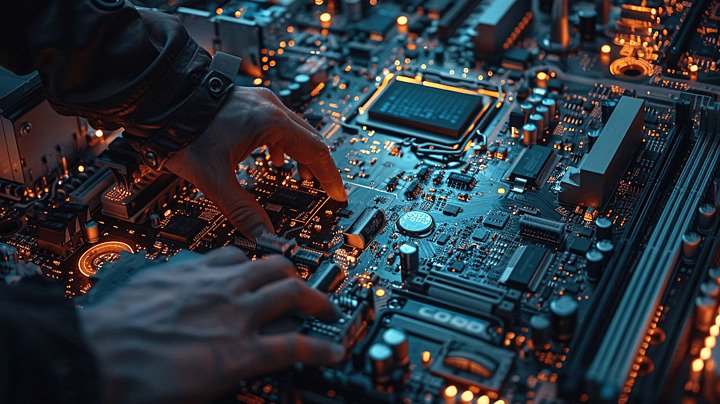
by super | Oct 18, 2025 | Elpro Technologies, Elpro Technologies Post
Did you know that industrial motherboards can last up to seven times longer than the ones in your home computer? We at Contec see industrial motherboards as the unsung heroes of crucial operations from factory floors to life saving medical devices. Choosing the correct one is not simple. These boards differ greatly from those intended for everyday consumer use. Making the right choice is vital for ensuring your system runs reliably for years. Aspects such as stable long-term supply, high reliability and being customizable are crucial. Let us examine what distinguishes them and how to select one that suits your specific requirements.
Key Factors to Consider When Selecting the Right Industrial Motherboard
To select the right industrial motherboard, consider durability, performance, expandability, connectivity, and long-term support. These factors ensure that your system remains reliable, efficient, and scalable for industrial applications.
1. Durability
Industrial environments are often harsh. Look for motherboards built to withstand extreme temperatures, dust, humidity, and vibrations to ensure long-term reliability and stable operation.
2. Performance
-
Processor (CPU): Choose a processor that balances performance with power efficiency based on your application’s workload and processing needs.
-
Memory (RAM): Select RAM that meets your system’s performance requirements. For mission-critical applications, consider motherboards that support ECC (Error-Correcting Code) memory for enhanced data integrity.
3. Expandability and Form Factor
-
Form Factor: The physical size of the motherboard determines compatibility with the chassis and the number of expansion slots available.
-
EATX / ATX: Suitable for high-performance and expandable systems.
-
Micro-ATX / Mini-ITX: Ideal for compact, energy-efficient builds.
-
Expansion Slots: Ensure the motherboard offers enough slots for add-on components such as GPUs, network cards, or other specialized hardware.
4. Connectivity
-
Ports: Verify the availability and type of ports, such as USB, Ethernet, serial ports, and display outputs, based on your system’s interface requirements.
-
Storage Interfaces: Choose appropriate storage connectivity options—SATA, NVMe, or M.2 SSDs—depending on speed and capacity needs.
5. Long-Term Support
-
Support and Warranty: Select manufacturers known for reliable products, long-term technical support, and comprehensive warranties that include repair and replacement services.
-
Product Lifecycle: Industrial motherboards often have extended lifecycles, which is crucial for consistent availability and replacement during long-term deployments.
Why Industrial Motherboards Are Important
Consumer motherboards are created for common tasks and quick replacement cycles. Industrial settings demand a higher standard. The key benefits of industrial motherboards are in their:
- Stable Long-Term Supply: Industrial systems often must operate consistently for many years. Changes to a motherboard can cause expensive re certifications and system validations. Therefore, we prioritize industrial motherboards that will be available for a long time.
- High Reliability: In numerous industrial contexts, downtime is unacceptable. Industrial motherboards utilize better components and go through strict testing to guarantee they can manage continuous operation.
- Environmental Resistance: Industrial motherboards are designed to withstand extreme temperatures, high humidity and vibration that would ruin a consumer board quickly.
- Customization: Each application has specific needs. Industrial motherboards provide various interfaces, expansion slots and form factors to precisely meet system requirements.
These benefits come at a cost. Industrial motherboards can be expensive and have long lead times because of specialized parts, smaller production runs and thorough quality control.
Crucial Factors when Picking an Industrial Motherboard
Choosing the appropriate industrial motherboard requires careful assessment of several things. Here is our method:
1. Form Factor (Size)
A motherboard’s size impacts the available features and expansion options, as well as the overall system size. Common form factors include:
- Extended ATX: Provides maximum expansion and performance, suitable for high end servers and workstations.
- ATX: A standard size providing a solid mix of features and expansion slots for general purpose industrial computers.
- Micro ATX: A smaller version of ATX providing fewer expansion slots, good for compact systems.
- Mini ITX: Created for applications where space is limited, offering limited expansion but consuming little power.
- Pico ITX: The smallest form factor, perfect for ultra compact embedded systems needing minimal expansion.
For instance, if I am constructing a control system for a large factory, an ATX or Extended ATX board may work best to handle multiple I/O cards and communication interfaces. If I am designing a small, fanless embedded system for tracking environmental conditions, a Mini ITX or Pico ITX board might be preferable.
2. Processor (CPU)
The processor dictates the motherboard’s computing power. Options range from low power Intel Atom processors to high performance Intel Xeon Scalable processors. Note these processor families:
- Intel Xeon Scalable Processors: Intended for server grade computing, scientific simulations and deep learning applications needing many cores and high throughput.
- Intel Xeon D Processors: Power efficient, system on chip processors ideal for small servers and embedded systems.
- Intel Xeon E Processors: Intended for workstations and entry level servers, suitable for data acquisition and advanced image processing.
- Intel Core Processors (S series): Flexible processors for desktop computers, rack mounted systems and embedded applications.
- Intel Core Processors (U series): Low power processors for mobile computers and fanless embedded systems.
- Intel Atom and Intel Processors N series: Extremely low power processors for tablets and small embedded computers.
I have observed that picking the correct processor balances performance, power usage and cost. For example, a machine vision system performing real time defect detection might use a Core i7 or Xeon processor, while a simple data logging application could operate well on an Atom processor.
3. Expansion Slots
Expansion slots enable you to increase a motherboard’s capabilities using add in cards. Note the quantity and kind of slots needed for your application. Common slot types include PCI, PCI Express (x1, x4, x8, x16) and others.
4. Interfaces (I/O)
A motherboard’s I/O panel offers connections for displays, peripherals and storage devices. Verify compatibility with your existing equipment. Common interfaces include DVI, HDMI, USB, Serial ATA (SATA) and others.
5. Other Things to Note
Beyond the above, note:
- Memory Capacity: The maximum RAM amount the motherboard can handle.
- ECC Memory Support: Error correcting code (ECC) memory improves data integrity, important for mission critical applications.
- RAID Support: Redundant Array of Independent Disks (RAID) enhances data redundancy and improves performance.
- M.2 Slots: For fast solid state drives (SSDs).
- Key Type: Guarantees appropriate connection of M.2 devices.
Contec’s Dedication to Industrial Motherboards
At Contec, we have created a full range of industrial motherboards designed to satisfy the demanding needs of diverse applications. Our boards utilize high quality components, undergo strict testing and are supported by our expert support staff. We realize the value of stable long-term supply, high reliability, environmental resistance and customizable options. By carefully assessing these aspects, you can choose an industrial motherboard that ideally meets your needs and ensures your system succeeds long term.
Industrial motherboards provide the reliability, longevity and customization needed for crucial applications. Choosing the correct one requires carefully weighing form factor, processor, expansion slots, interfaces and other key features. As you proceed through the selection process, remember that investing in a quality industrial motherboard is investing in your entire system’s stability and performance.
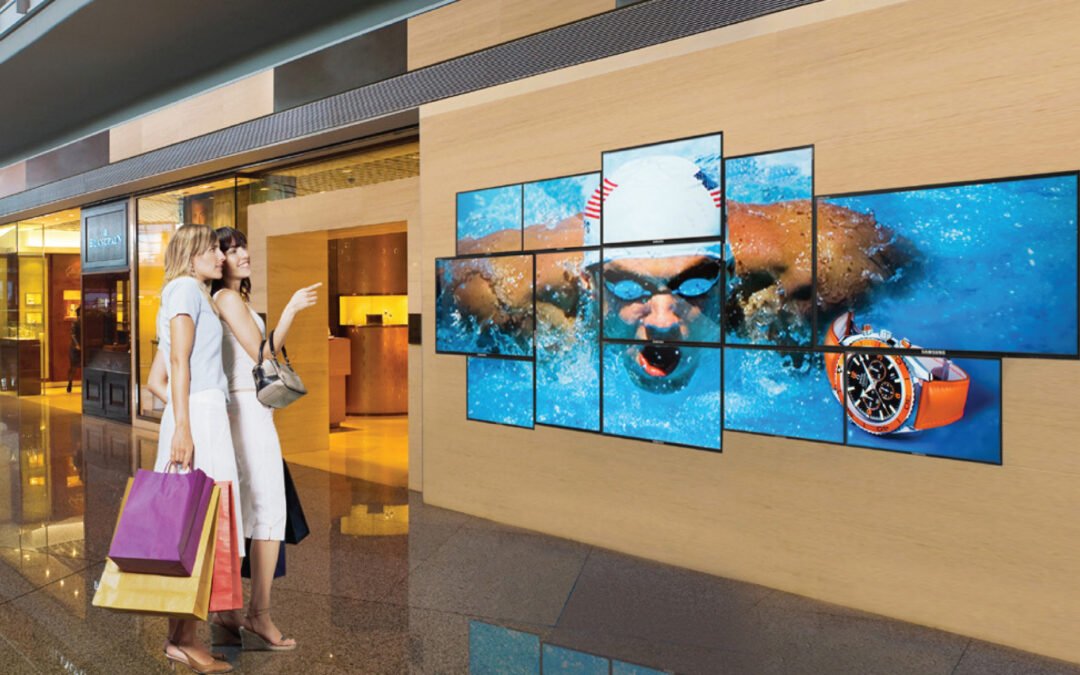
by super | Oct 17, 2025 | Elpro Technologies, Elpro Technologies Post
Did you know that businesses lose an estimated $75 billion each year because of poor customer service? At Elpro Technologies, we see that statistic as a challenge. We provide modern solutions in digital signage, kiosks and industrial motherboards, helping businesses improve customer engagement and boost operational performance. We operate as a provider, reseller, dealer and supplier in major Indian cities including Chennai, Mumbai, Hyderabad, Delhi, Pune, Kolkata and Ahmedabad. Our promise is to deliver consistent quality to businesses in every sector.
Customer communication has been revolutionized by digital signages. From corner stores to large corporate headquarters, digital displays offer engaging ways to share information, promotions and even advertisements. So why should you pick us?
- Customization: Every business is different. We build our digital signage solutions to be fully customizable. You can adjust the screen size, add interactive features or integrate with current systems. We make sure our digital signages work with your brand and overall messaging.
- Versatility: We offer a range of options including LCD digital signage, digital menu boards, vertical advertising displays and freestanding digital posters. You will find a solution for any environment, be it a store, restaurant or office.
- Remote Content Management: Our content management system lets you update content, schedule displays and track performance from anywhere. This is important for businesses that have multiple locations. It ensures your message stays consistent across all platforms.
Kiosks are now a key part of how businesses operate. They offer self-service options that improve the customer experience and make things more efficient. As a leading kiosk manufacturer and supplier, we have a wide selection of options to suit different requirements.
- Interactive Kiosks: Our interactive kiosks give customers easy access to information, products and services. These are perfect for stores, hospitals and public areas. They provide self-service choices that shorten wait times and increase customer satisfaction.
- Self-Service Kiosks: Designed for modern business, our self-service kiosks are great for automating payments, check-in processes and sharing information. They improve efficiency in places from supermarkets to office buildings.
- Customizable Hardware: We offer hardware options that you can customize. These include multi-touch screens, LED/LCD monitors and strong metal frames. Our kiosks work both inside and outside. They are built to last.
Industrial Motherboards are crucial for businesses that need reliable computing. At Elpro Technologies, we focus on providing high-quality industrial motherboards made for tough conditions.
- Reliability: Our industrial motherboards are designed for harsh industrial environments. They offer solid performance, durability and advanced processing power. They can handle extreme temperatures, vibrations and dust. This ensures reliable operation in demanding situations.
- Custom Integration: We provide embedded motherboards that allow for custom integration in automation devices and IoT systems. This is especially useful for system integrators and OEMs that want to create specialized solutions.
- Fanless Options: Our fanless industrial PCs operate silently and require little maintenance. This makes them suitable for sensitive environments where noise and dust are concerns.
We aim to deliver solutions that meet high standards for both quality and modern design. We understand how important technology is in business today. We work hard to provide products that improve efficiency, boost customer engagement and encourage growth.
After working with companies across India, we see that our products are known for their reliability and how well they adapt. For example, a hospital in Chennai installed our interactive kiosks and reported that patient flow and satisfaction improved. Likewise, a retail chain in Mumbai saw sales increase after installing our digital signage solutions.
We are proud to work with businesses throughout India, including Chennai, Mumbai, Hyderabad, Delhi, Pune, Kolkata and Ahmedabad. Our large network means we can offer local support and installation services. We are a leading panel PC manufacturer, supplier, reseller and dealer, and we are dedicated to meeting the different needs of our customers.
Choosing Elpro Technologies means working with a company that understands what you need and wants you to succeed. Our products are:
- Durable: Made to handle tough conditions and constant use.
- Scalable: Easy to expand as your business grows.
- Customizable: Made to fit your specific needs and branding.
- Supported: Supported by our expert team for setup, maintenance and assistance.
Ready to change your business with our digital signage, kiosk and industrial motherboard solutions? Contact us today for a consultation and see how Elpro Technologies can help you reach your goals. We are here to provide the best solutions, customized to your needs and supported by our dedication to quality and customer satisfaction.
Elpro Technologies: Your Partner in Modern Design and Excellence.
