by super | Oct 18, 2025 | Elpro Technologies, Elpro Technologies Post
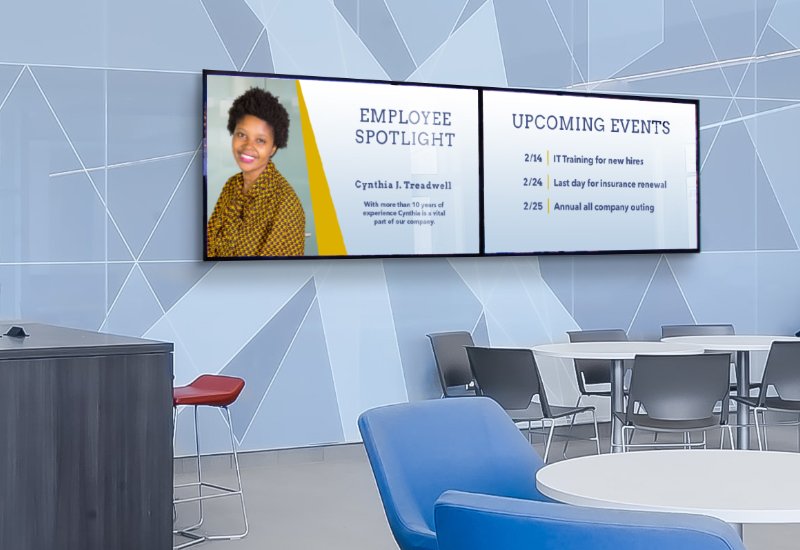
Picture this: a digital billboard suddenly goes dark. Just like that, your message vanishes, potential sales disappear and customers get annoyed. I have seen it happen. A single hour of downtime could cost a business thousands of dollars and seriously hurt its reputation. Over years of setting up and taking care of digital signage networks, my team and I have learned a lot about stopping those dreaded black screens. I am now sharing my knowledge, so you can confidently handle common digital signage troubleshooting issues, keep interruptions to a minimum and ensure your displays always work. This guide offers actionable steps for effective digital signage troubleshooting.
Before getting into fixes, it is vital to accurately pinpoint what is causing the problem. My team always tells clients to start with the basics. Is the power switch flipped on? Are all the cables plugged in tightly? Once you have checked these simple things, look into these common causes:
- Blank Screen: Absolutely nothing shows up.
- Flickering Screen: The image flashes on and off.
- Distorted Image: The picture looks stretched, pixelated or the colors are off.
- No Audio: The video plays without sound.
- Content Not Updating: Old information stays on the screen.
- Network Connectivity Issues: The display cannot talk to the content management system (CMS).
- Remote Management Problems: Trying to control the display from somewhere else does not work.
Each of these problems can come from many different things, which I will explain in detail below. We will check each issue to help your digital signage troubleshooting.
Troubleshooting a Blank Digital Signage Screen
A blank screen often causes the most worry. Luckily, the solution can be very simple. Follow this quick checklist:
- Power Supply: Make sure the display is getting power. Check the outlet and the power cord. Plug the display into a different outlet to be sure it is not a bad power source. We have seen cases where a loose power cord was the only thing causing the problem.
- Display Settings: Make sure the display is turned on and set to the right input source. Many displays have several HDMI or DisplayPort connections. The right one must be picked.
- Media Player: If you use a separate media player, check that it is on and connected to the display. Check the HDMI cable connecting the media player. A bad cable can cause a blank screen.
- Backlight Failure: Sometimes, the backlight inside the display goes out. If you shine a flashlight on the screen and can barely see a picture, the backlight probably needs to be fixed by a professional.
I remember spending hours trying to fix a blank screen, just to find out someone had accidentally turned off the power strip behind the display. Always start by checking the easiest things first. Consider saving this guide to use later for digital signage troubleshooting.
Fixing a Flickering Digital Signage Screen
A flickering screen is distracting and makes you look unprofessional. Here is how I handle this digital signage issue:
- Cable Connections: Cables that are loose or damaged often cause flickering. Check all cables going from the media player to the display, especially the HDMI or DisplayPort cable. Gently wiggle the cables to see if the flickering gets worse. If it does, replace the cable.
- Resolution and Refresh Rate: Make sure the display resolution and refresh rate match what the media player is sending out. Settings that are not matched up can cause flickering or a distorted picture. Check the manuals for both devices to find the recommended settings.
- Driver Issues: If you are using a computer as a media player, graphics drivers that are old or damaged can cause flickering. Install the newest graphics drivers.
- Overheating: Sometimes, overheating can cause a screen to flicker. Make sure the display has enough air flow and is not in direct sunlight or near something hot.
Resolving Distorted Images on Digital Signage
A distorted image makes things harder to read and hurts your brand image. My digital signage troubleshooting process includes these steps:
- Resolution Settings: Resolution settings that are wrong often cause distortion. Check that the media player’s resolution matches the display’s natural resolution.
- Aspect Ratio: Make sure the aspect ratio is right. If the aspect ratio is wrong, the image will be stretched or squeezed. Common aspect ratios are 16:9 and 4:3.
- Cable Quality: A cable that is not good or is damaged can cause image problems. Think about using a better HDMI or DisplayPort cable.
- EDID (Extended Display Identification Data): EDID lets the media player know what the display can do. Sometimes, EDID problems can mess up the image. Turn off and then on both the media player and the display to reset the EDID.
I always suggest using certified cables that are right for your resolution and refresh rate. Doing that stops problems later. See our other information on digital signage hardware for more advice.
Addressing Audio Problems with Digital Signage
Sound that is not there can be as bad as a distorted image, especially when showing videos with sound. My signage maintenance plan for fixing audio problems has these steps:
- Volume Settings: Start with the easy thing: make sure the volume is turned up on both the media player and the display. Is anything on mute?
- Audio Output: Check that the right audio output is picked on the media player. It might be sending the sound to a port that nothing is plugged into.
- Cable Connections: Look at the audio cable going from the media player to the display. When using HDMI, sound travels through the same cable as the video. Make sure the HDMI cable is plugged in tightly.
- Audio Codec: The media player might not support the video’s audio format. Change the audio to a format that is more widely supported, like MP3 or AAC.
- External Speakers: If you are using external speakers, make sure they are turned on and connected correctly. Check the speaker cables and the speakers’ volume settings.
Troubleshooting Content Updates on Digital Signage
When your digital signage shows information that is old or wrong, it defeats the purpose. I fix content update problems like this:
- Network Connection: Make sure the display has a strong internet connection. Check the network cable or Wi Fi connection. Restart the router.
- CMS Status: See if your content management system (CMS) is working right. If there are problems, contact your CMS provider for technical support.
- Scheduling Conflicts: Be sure there are no conflicting schedules in the CMS. Conflicting schedules can stop content updates.
- Caching Issues: Sometimes, the display keeps old content. Clear the cache on the media player.
- Firmware Updates: Media player firmware that is old can sometimes cause content update problems. Install the newest version.
I once helped a client whose content would not update because their firewall was blocking communication between the display and the CMS. Changing the firewall settings fixed the problem.
Solving Network Connectivity Issues with Digital Signage
Without a reliable network, your digital signage is useless. My plan for fixing network digital signage problems has these actions:
- Physical Connection: Make sure the network cable is plugged in tightly to both the display and the network switch. Try a different network cable to be sure.
- IP Address: Make sure the display has a valid IP address. Check the media player’s network settings. If the display uses a static IP address, double check how it is set up. When using DHCP, make sure the DHCP server is working right.
- DNS Settings: DNS settings that are wrong can stop the display from connecting to the CMS. Double check the DNS settings.
- Firewall Settings: As I said before, firewall settings can stop communication. Make sure the firewall allows the necessary ports.
- Network Congestion: Too much network traffic can cause connectivity problems. Reduce the amount of traffic.
Remote Management Troubleshooting for Digital Signage
Remote management is a key part of modern digital signage. If you are having trouble controlling your displays remotely, check my signage maintenance guide:
- CMS Access: Double check your CMS login information. Make sure your account has the right permissions to manage the displays.
- Network Connectivity: Remote management needs a stable network. The display must connect to the internet and the CMS must be in communication.
- Firewall Settings: As with content updates and network connectivity, firewalls can cause problems. Make sure the firewall is not blocking the necessary ports.
- Remote Management Software: If using remote management software, make sure it is installed and set up right.
- Display Compatibility: Make sure the display works with the remote management software or CMS.
Preventative Digital Signage Maintenance
The best way to fix common signage issues is to stop them from happening in the first place. My team suggests these things:
- Regular Inspections: Check your digital signage often to find potential problems early. Check the cables and air flow.
- Firmware Updates: Keep your media players’ firmware updated. Firmware updates often have bug fixes.
- Content Management: Check your content from time to time to make sure it is current. Get rid of old content.
- Environmental Considerations: Keep your displays away from extreme temperatures and direct sunlight, which can cause damage.
- Power Protection: Use surge protectors to protect your displays from power surges.
When to Seek Professional Digital Signage Technical Support
While you can fix many digital signage problems yourself through basic digital signage troubleshooting, some situations need help from a professional. You should get technical support if:
- Hardware Failure: You think something is wrong with the hardware, like a bad display.
- Complex Network Issues: You have network problems you cannot fix on your own.
- CMS Problems: You are having problems with your content management system. Contact your CMS provider for technical support.
- Warranty Repairs: Your display is still under warranty. Contact the manufacturer.
Final Thought: I want you to know that Digital signage troubleshooting does not have to be scary. By using these tips, you can keep your displays working smoothly. Remember that taking care of your signage can stop big problems later. Do not be afraid to get help when you need it. Your digital signage is valuable and deserves protection.
by super | Oct 18, 2025 | Elpro Technologies, Elpro Technologies Post
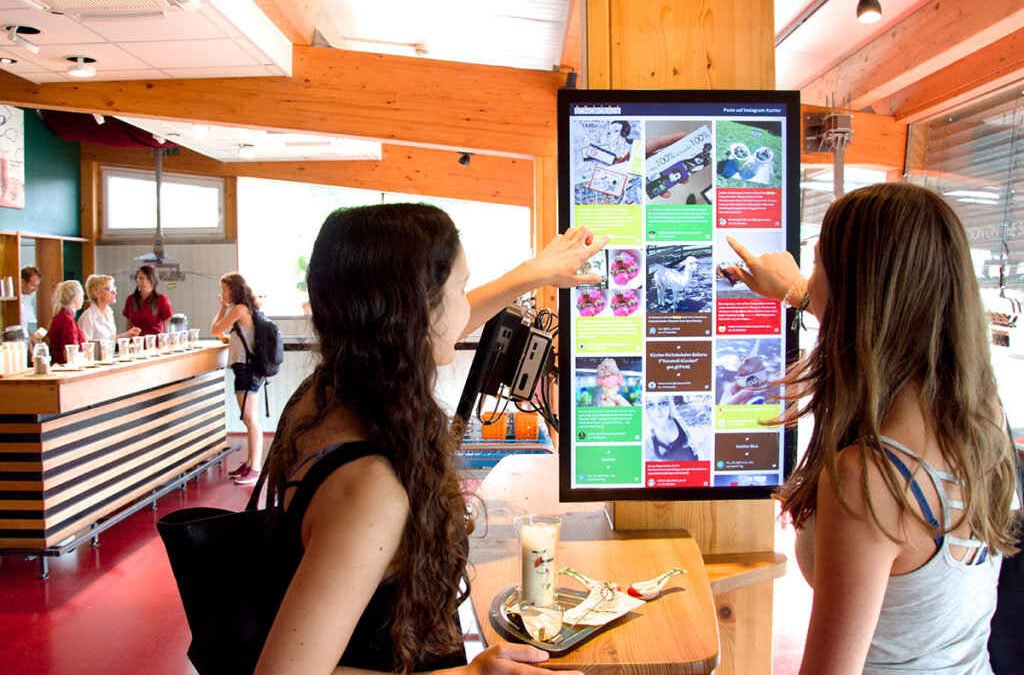
Did you know billions of dollars change hands through self service kiosks each year? That is a huge amount of trust we are putting in these machines. I have seen them making things quicker at airports and stores. That is why kiosk security is something you cannot ignore. I have seen how easily some kiosks can be broken into, and I know the trouble that can cause for companies and the people who use them.
Remember, keeping kiosks safe is not just about the machines themselves. It is also about keeping data safe. Think about all the personal information, like credit card numbers and company secrets, that pass through these systems. If kiosk protection fails, things can get bad. I am talking about stolen identities, money disappearing and reputations ruined. I have helped companies after they have had security problems like this, and it is never a pleasant experience.
Making sure the physical kiosk is safe is just as important. People might try to break them, steal them or mess with them, which can stop them from working and cost a lot of money. I remember one time when someone stole a client’s kiosk. It was a disaster for them and their customers. Now, let us talk about what you can do to make kiosk security better.
The first thing to do is know what you are up against. I see two main types of problems:
- Physical Threats: These are things like people breaking the kiosk, stealing parts, messing with the inside or getting into the ports without permission.
- Cyber Threats: These involve things like malware, data getting stolen, problems with the operating system, attacks on the network and tricks to fool users.
Companies often do not realize how clever criminals can be. I have seen them come up with new ways to get into systems, both physically and online. It happens all the time.
Making sure your kiosks are physically secure is the first thing you need to do. Here are some physical security measures that I suggest:
Physical Kiosk Security Measures
Secure Enclosures
The box that holds the kiosk should be strong enough to stop people from breaking into it. Steel or strong plastic are good choices. I have seen flimsy boxes get broken open easily. That is why you need to spend money on something that will last.
Bolting and Anchoring
Bolt the kiosk to the floor or wall so no one can steal it. Use strong bolts and screws that are hard to remove. Think about where the kiosk is. If it is in a busy place, you will need stronger bolts. One of my clients used glue and bolts. It was nearly impossible to move.
Tamper-Evident Seals
Put seals on all the places where people can get inside and on important parts inside. These seals will show if someone has been messing around. Check the seals often to make sure they are still good. I tell people to write down the seal numbers and when they checked them for record keeping.
Surveillance Systems
Put up cameras to watch the kiosk. If people see cameras, they may not try to break things or steal. The cameras should be clear enough to see what is happening, even when it is dark. I often tell clients to connect the kiosk cameras to their main security system.
Alarm Systems
Put an alarm on each kiosk that will go off if someone moves it, messes with it or tries to get in without permission. The alarm should tell the security guards or the police. I suggest using a company that watches the alarms all the time for extra safety.
Cable Management
Make sure all the cables are safe so no one can mess with them or accidentally unplug them. Use covers or boxes that can be locked to hide the cables. Cables that are easy to get to can be damaged by people trying to cause trouble, and that can stop the kiosk from working. I see this happen a lot.
Location Considerations
Where you put the kiosk is important for security. I suggest putting it in a place that is well lit, busy and where staff can see it. Do not put it in a place where no one goes. I worked with a library that moved its kiosks from a quiet corner to a spot near the entrance. The problem was solved.
Protecting your kiosks from online threats is just as important as physical security. Here are some kiosk security measures I recommend:
Cyber Kiosk Security Measures
Operating System Hardening
Make the operating system stronger to stop attacks. Turn off things that are not needed, get rid of default accounts and limit what users can do. Set up a secure system and check it often for weaknesses. I give my clients a list to help them make their systems stronger.
Software Whitelisting
Use software whitelisting to stop programs that you do not approve of from running on the kiosk. Only allow apps that you trust. This will block malware. My team has seen whitelisting stop attacks that could have taken down the whole system.
Antivirus Software
Install antivirus software on every kiosk and keep it updated. Scan for malware often. Choose an antivirus program that is made for kiosks. Remember, antivirus software is not enough on its own. It needs to be used with other security measures.
Firewall Protection
Set up a firewall to block network traffic that is not allowed. Only allow the ports and protocols that you need. Use a firewall on the kiosk and a network firewall to protect the kiosk network. My company keeps kiosk networks separate from other systems.
Data Encryption
Encrypt all important data when it is being sent and when it is stored. Use strong encryption and keep the encryption keys safe. If you encrypt data, even if someone breaks into a kiosk, the data will still be unreadable. I always tell people to encrypt credit card data and personal information.
Secure Browsing
Set up the web browser to stop users from going to bad websites. Use a browser with security features, like phishing protection and malware detection. Use a kiosk browser that limits what users can do and stops them from getting into the operating system. I have had luck with kiosk browsers that let me control what users can do.
Session Management
Use session management to stop people from getting into systems without permission. Automatically log users out if they are not doing anything. Clear browsing history, cookies and temporary files after each session. My team has made session management scripts to make sure users have a safe experience.
Regular Security Updates
Keep the operating system, software and security apps up to date. Install security patches and updates to fix weaknesses. Automate the update process when you can. I schedule maintenance to install updates and check security.
Network Security
Make the network safe to stop unauthorized kiosk access. Use strong passwords, turn on network encryption and keep the kiosk network separate from other systems. Use intrusion detection and prevention systems to watch network traffic for anything suspicious. My company does network penetration tests to find and fix weaknesses.
User Authentication
Use strong user authentication to stop people from getting into sensitive functions without permission. Use multifactor authentication when possible. Think about using biometrics, like fingerprint scanning or facial recognition. I have used biometrics in kiosk setups to make security better.
These security measures should be part of a full kiosk protection plan that includes:
- Risk Assessment: Find possible threats and weaknesses.
- Security Policies: Write clear security policies and procedures.
- Implementation: Put the security measures in place.
- Monitoring: Watch kiosks for security problems.
- Incident Response: Make a plan for dealing with security problems.
- Training: Teach employees about security policies and procedures.
- Regular Audits: Do security audits to make sure you are following the rules.
My company has helped many organizations create and use kiosk security plans. It is something you have to keep working on all the time.
Technology is not the only thing that keeps kiosks secure. People are also important. Train employees to spot and report anything suspicious. Teach kiosk users how to stay safe, including protecting their personal information and not falling for phishing scams. I have made security training programs just for kiosk users.
Here are some examples of how kiosk protection can stop security problems:
- Retail Kiosk: A store used software whitelisting on its kiosks. That stopped malware from stealing customer payment data.
- Airport Kiosk: An airport put cameras and alarms on its kiosks. That stopped people from breaking things and stealing.
- Library Kiosk: A library moved its kiosks to a place where more people could see them and trained staff to watch what was happening. That reduced vandalism and unauthorized access.
Technology is always changing, and so are the threats to kiosk security. New things like the Internet of Things (IoT) and artificial intelligence (AI) create new challenges and opportunities. I am always looking into and creating security solutions to deal with these new threats.
Keeping your kiosks secure is a smart choice that protects your business, your customers and your reputation. If you create a kiosk security plan that deals with both physical and online threats, you can lower risks and make sure your kiosks are successful. The secret is to stay informed, change with the times and always put security first.
by super | Oct 18, 2025 | Elpro Technologies, Elpro Technologies Post
Did you know that businesses can boost brand recall by up to 80% simply by using the right signage? When it comes to digital signage vs traditional signage, making the correct choice is not just about aesthetics; it is about making a smart investment. I know how important it is to allocate your resources wisely, and the right signage choice can dramatically improve how customers perceive your brand and how engaged they are. I want to offer a close comparison to help you figure out what works best to meet your specific business needs.
I have personally witnessed the power of effective signage in transforming businesses. It is amazing to see how the right sign can bring in new customers and reinforce what your brand stands for. Let us examine the key differences along with the good and bad of both digital and traditional signage. I believe this information will help you make the best decision for your company.
Understanding Traditional Signage
Traditional signage has been around for a long time and includes those static displays we have all grown up seeing. I am talking about billboards, storefront signs, posters and banners. These signs all have fixed content and are physical objects you can touch.
Advantages of Traditional Signage
- Lower Initial Cost: Generally, putting up traditional signs will cost you less initially than digital signs. Putting up a simple banner or poster does not need any advanced technology.
- Familiarity and Trust: Consumers recognize and trust these signs. They offer a feeling of stability and reliability that people appreciate.
- No Electricity Required: Because traditional signs do not need electricity, they work great in locations where there is no easy access to power.
Disadvantages of Traditional Signage
- Inflexible Messaging: The message on a traditional sign is set in stone once it is created. If you want to update the sign, you have to create a brand new one, which can become costly.
- Environmental Impact: The materials used to make traditional signs, particularly disposable ones like posters, add to waste and raise concerns about the environment.
- Limited Engagement: Because static signs cannot offer any interactive experiences or display content that changes, they are limited in their ability to grab people’s attention.
Exploring Digital Signage
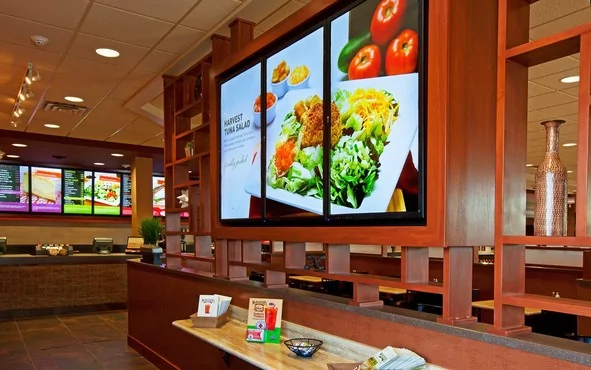
Digital signage makes use of electronic screens like LED displays, LCD monitors and projectors to display content that changes. With these signs, you can show images, videos, animations and interactive elements. They offer a versatile way to communicate with your target audience.
Advantages of Digital Signage
- Dynamic Content Display: Digital signs let you display a wide range of content, from current promotions to real time updates. The ability to keep your message fresh and relevant is a great benefit.
- Interactive Capabilities: Touchscreen displays make it possible for customers to interact with your brand. They can browse products, get information and even purchase items directly from the sign.
- Data Driven Optimization: Many digital signage platforms offer data on how many people view the sign, how long they look at it and what they interact with. This data lets you fine tune your content for the greatest impact.
Disadvantages of Digital Signage
- Higher Initial Investment: The hardware and software you need for digital signs can cost more upfront than traditional signs.
- Technical Expertise Required: You often need technical knowledge or professional help to manage digital signs correctly and ensure they operate smoothly.
- Ongoing Maintenance Needs: Digital signs need regular maintenance. This includes software updates and hardware repairs, which increase the overall cost of ownership.
Digital Signage vs Traditional Signage: A Detailed Comparison
Let us take a closer look at the comparison. When you evaluate digital signage vs traditional signage, you need to think about these critical factors:
Financial Considerations
Traditional signs are cheaper to put up initially, but digital signs may save you money over the long term. Think about how much it costs to print new traditional signs every time you want to update your message. Digital signs allow you to make changes instantly without spending extra money on materials.
I spoke with a local retailer who frequently offered promotions. They were spending hundreds of dollars each month just to print posters. After they switched to digital signs, they reduced their advertising costs by 60%.
Marketing Effectiveness
Digital signs clearly provide a marketing advantage. Content that is dynamic and targeted can significantly improve engagement. For example, a coffee shop could use a digital sign to promote a lunch special right around lunchtime.
Research from Arbitron shows that digital signs capture 47% more viewer attention than static signs. This is a notable advantage if you want to maximize how visible your business is.
Beyond Messaging: The Wider Impact of Signage
Signage does more than just show messages. Good signage can boost brand recognition, improve how satisfied customers are and increase sales. Digital signs magnify these benefits by allowing interaction and providing valuable data insights.
Selecting the Right Signage for Your Business
How do you pick the best signage solution for your business? Here is a practical method I recommend:
- Define Your Objectives: What do you want your signs to accomplish? Do you want to increase how visible your brand is, increase sales or improve customer satisfaction?
- Establish a Budget: How much are you willing to spend on signage? Consider both initial and ongoing costs.
- Understand Your Audience: Who are you trying to reach with your signs? What messages will they respond to?
- Assess Location: Where will you put your signs? Will they be indoors or outdoors? Will they be in areas with heavy foot traffic or in quieter areas?
- Evaluate Maintenance: How much time and money are you ready to spend on keeping up the signs?
Real World Success Stories
Let us take a look at how different businesses have successfully used various signage strategies.
Case Study 1: The Local Bakery
A small bakery used traditional signs to advertise its daily specials. They created a chalkboard sign that they updated each morning with the day’s offerings. This simple way of advertising brought in more customers and helped build a stronger sense of community.
Case Study 2: The Tech Startup
A tech startup invested in a large digital sign for its lobby. They used it to show company news, highlight employees and display social media updates in real time. This created a modern and engaging atmosphere for visitors and employees alike.
Case Study 3: The Clothing Store
A clothing store used both traditional and digital signs. They used traditional window displays to highlight their newest clothing and digital signs inside the store to promote deals and events. This expanded their reach and made the shopping experience better.
The Future of Signage
The signage industry never stops changing. Here are some trends that I am watching:
- Interactive Signs: Look for more touchscreen displays and kiosks that let customers interact with your brand.
- Personalized Content: Better data analytics will allow signs to present messages that are specific to each customer.
- Augmented Reality Integration: Augmented Reality will let customers overlay digital content onto the physical world.
- Eco Friendly Signage: The need for environmentally responsible signs made from recycled materials will increase.
Final Thoughts on Digital Signage vs Traditional Signage
The best choice between digital signage vs traditional signage relies on what your specific needs and goals are. There is no single answer that works for everyone. I think that carefully thinking about the factors I have discussed will help you make smart decisions that will benefit your business. Always remember that effective signage, no matter what kind it is, represents an investment in your brand and its future.
I have observed that successful businesses integrate signage as a key piece of their overall strategy. It is not just about putting up signs; it is about crafting a message that grabs people’s attention and inspires them to act.
by super | Oct 18, 2025 | Elpro Technologies, Elpro Technologies Post
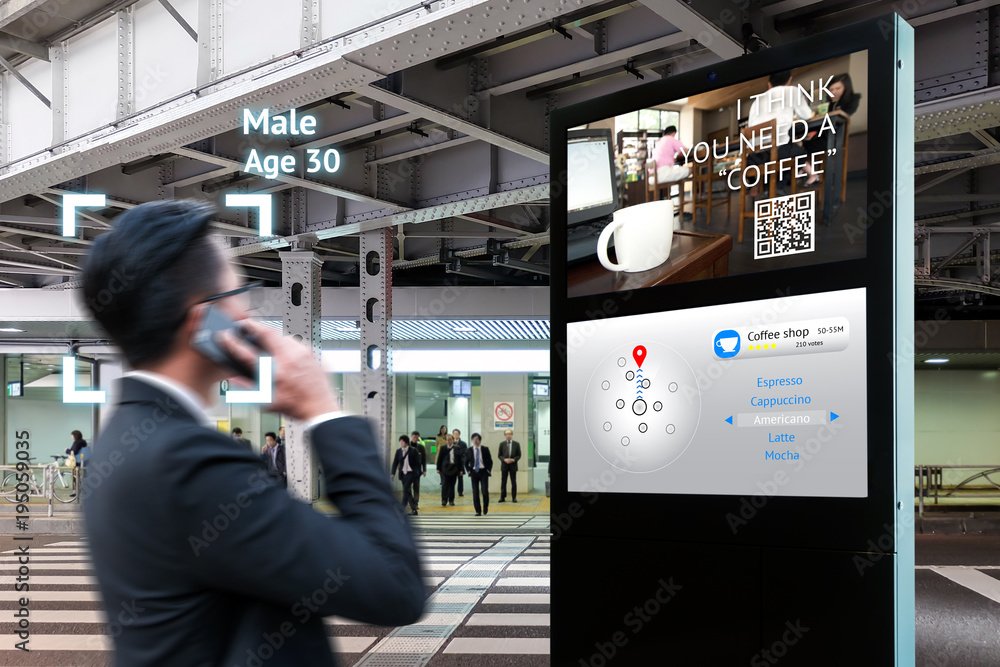
Did you know that a whopping 86% of customers now prefer helping themselves rather than dealing with an actual human? That is a huge shift, and businesses are scrambling to keep up by mixing real people with automation. I have seen firsthand how interactive kiosks for customer service are becoming essential. They are not some far off idea. They are here now, giving customers the power to get what they need, handle transactions and solve problems without needing constant help from employees. What happens then? Customers are happier, lines are shorter and everyone is more productive.
Before we jump into how to set these up, let us tackle the big question: Will investing in interactive kiosks for customer service be worth it for your business? It is more than just swapping staff for machines. From what I have seen, there are some real benefits here:
- Shorter Wait Times: Kiosks can manage multiple common requests at once. This cuts down wait times fast and makes customers much happier.
- Better Productivity: When kiosks handle the simple stuff, your team can tackle the harder problems that need a personal touch. This makes everyone more productive.
- Improved Customer Experience: Many customers would rather help themselves. Kiosks provide a simple and private way to handle things or find answers, which makes for a better experience.
- Always Available: Kiosks can run all day, every day. Customers can get help even when your business is closed.
- Data Collection: Kiosks track what customers do and what they like. This gives you information to improve what you offer and how you market it.
Getting interactive kiosks for customer service up and running the right way takes planning and a solid strategy. Here is some practical advice based on what I have learned:
1. Set Your Goals
First, you must decide what you want to achieve with these kiosks. What customer service issues will they fix? Which processes can be automated? How will you know if you are succeeding? For example, do you want to cut wait times by 20%, boost customer happiness by 10% or lower staffing costs by 15%?
Then, you must define how big your project will be. Will you test things out in one location first or roll out kiosks everywhere right away? What features will be available at the beginning and what will come later?
2. Know Your Customers
If your kiosk project is going to succeed, it needs to meet customer needs. Really dig into what bothers them, what they prefer and what they expect. What do they ask for help with most often? What information are they looking for? What kind of interface will be easy and simple for them to use?
Use surveys, talk to customers and use feedback forms to gather information. Look at your existing customer service data to spot trends. Test different kiosk designs and functions to see what works best.
3. Pick the Right Hardware and Software
The hardware you choose is important. You must think about things like how durable it is, the screen size, the touch technology, how much processing power it has and how secure it is. The hardware must be reliable and hold up to a lot of use. The software should be simple to use, secure and easy to customize.
There are many kiosk vendors out there, all with different options. Do your homework and choose one that fits your specific needs. Look at the cost, their reputation, what kind of support they offer and what their warranty covers.
I suggest taking a modular approach. Choose hardware that you can easily upgrade and replace parts on. This protects your investment and makes your kiosks last longer.
4. Design a Great User Interface
The user interface is the first thing people see, and it can make or break the experience. It should be easy to understand, simple to navigate and pleasing to the eye. Use clear language, big buttons and simple menus. Avoid technical terms and complicated instructions.
Follow user interface design rules. Keep the layout and color scheme consistent. Give users feedback as they use the kiosk. Make sure the interface is accessible to people with disabilities, including those with visual or motor impairments.
5. Integrate with Your Existing Systems
To be truly effective, your kiosks must work with your current systems, such as your CRM, inventory management and payment processing systems. This lets customers get current information, complete transactions easily and get personalized support.
This can be complex, so you must plan carefully and get experienced developers involved. Make sure your systems are compatible and that data is transmitted securely. Test everything thoroughly before you deploy.
6. Focus on Security
Security should always be a priority. Kiosks handle sensitive customer data, including credit card information and personal details. You must have strong security measures in place to protect this data from unauthorized access.
Use encryption to protect data when it is being transmitted and stored. Use strong authentication and authorization methods. Keep your software and security up to date. Watch your kiosks for any strange activity and respond quickly to any security problems.
7. Provide Clear Instructions and Support
Even with a great interface, some customers will still need help. You must provide clear instructions and support to ensure everyone can use the kiosks without problems. Put up signs near the kiosks with step by step directions. Provide a phone number or email address for customers who need more help.
You should consider providing on site support during busy times. Train your staff to help customers with the kiosks and fix any problems that come up.
8. Test Thoroughly
Before you launch your kiosks, you must test them extensively to ensure they work perfectly and meet customer needs. Conduct tests with different types of users. Monitor performance and gather feedback. Find areas for improvement and make the necessary changes.
Kiosk implementation is an ongoing process, not something you do once and forget about. You must continue to monitor performance, collect feedback and make changes to improve the experience and achieve your goals.
9. Promote Your Kiosks
You must make sure your customers know about your new kiosks. Promote them on your website, on social media and with signs in your store. Highlight the advantages, such as shorter wait times and greater convenience.
Think about offering incentives to encourage people to use them. For example, you can offer a discount or a free item to customers who complete a transaction at a kiosk.
10. Monitor and Maintain
Once your kiosks are running, you must monitor their performance and maintain them on a regular basis. Track key metrics such as how often they are used, how many transactions are processed and how satisfied customers are. Look for any patterns that might indicate problems or opportunities.
Perform routine maintenance to ensure the kiosks are running smoothly. Clean the screens, inspect the connections and replace any worn parts. Keep your software and security updated.
Real World Success Stories
To show you how powerful interactive kiosks for customer service can be, here are some real world examples:
- McDonald’s: McDonald’s has put self ordering kiosks in many locations. Customers can browse the menu, customize their orders and pay without talking to a cashier. This has reduced wait times and improved how accurate the orders are.
- Airports: Many airports now have self service check in kiosks. Passengers can check in, print boarding passes and check luggage on their own. This speeds up the process and reduces travel stress.
- Hospitals: Some hospitals use patient check in kiosks. Patients can check in for appointments, update their information and make payments. One hospital I am familiar with reduced check in times by 60% after installing kiosks.
- DMV (Department of Motor Vehicles): DMVs are infamous for long lines. Many now offer kiosks where customers can renew registrations, update addresses and schedule appointments. This has greatly reduced wait times and increased customer satisfaction.
Addressing Challenges
Interactive kiosks for customer service have many benefits, but there are also some problems that can arise. Here are some common issues and how to solve them:
- Technical Problems: Kiosks can experience software errors, hardware failures and network outages. To minimize these, you must have a comprehensive monitoring and maintenance plan. You should also have a backup plan for fixing technical issues quickly.
- Security Risks: Kiosks are vulnerable to hacking, malware and data breaches. You must implement strong security measures to protect them. Keep your software and patches current.
- Accessibility Issues: Kiosks may not be accessible to everyone, especially people with disabilities. You should follow accessibility guidelines to ensure your kiosks are inclusive. Provide other ways to access services for those who cannot use the kiosks.
- Customer Hesitation: Some customers might avoid kiosks, especially if they are not tech savvy. You should provide clear instructions and support to encourage kiosk usage. Highlight the advantages, such as shorter waits and greater convenience. Offer incentives to encourage adoption.
The Future
Interactive kiosks for customer service have a bright future. As technology improves, kiosks will become smarter and more capable. You can expect to see kiosks with features such as:
- Facial Recognition: Kiosks that recognize faces and personalize the experience.
- Voice Recognition: Kiosks that understand and respond to spoken commands.
- Artificial Intelligence (AI): Kiosks that use AI to provide smarter, more personalized service.
- Augmented Reality (AR): Kiosks that use AR to create engaging and immersive experiences.
These improvements will make kiosks even more valuable for improving customer service and growing your business. As kiosks change, you must remember that human interaction is still important. Kiosks should support human employees, not replace them. The best setups will find the right balance between automation and human assistance.
Calculating ROI
Before you invest in interactive kiosks, you must consider the return on investment. How will you measure success? Here are some key metrics to track:
- Wait Times: Monitor average wait times before and after you implement kiosks.
- Transaction Volumes: Track how many transactions are processed at the kiosks.
- Customer Satisfaction: Survey customers to see how satisfied they are with the kiosks.
- Staffing Costs: Track staffing costs before and after installing kiosks.
- Revenue: See how the kiosks affect your revenue.
By tracking these metrics, you can see if your kiosk project is making money and make any necessary adjustments.
Conclusion
Interactive kiosks for customer service offer many advantages, including reduced wait times, increased productivity and better customer experiences. If you take a strategic approach, focus on customer needs and constantly try to improve, you can have a successful implementation. Businesses can improve customer service and gain an edge by adopting this technology wisely. I have personally seen how much of an impact these solutions can have when they are implemented carefully.
by super | Oct 18, 2025 | Elpro Technologies, Elpro Technologies Post
Did you realize that companies using well designed digital signage and kiosks often see sales jump as much as 33% during the initial year? I have personally seen businesses build stronger connections with their audiences, make workflows more productive and dramatically increase revenue using these technologies. These are not just theoretical ideas; they are real world results our clients have achieved. I would like to share some Elpro Technologies case studies that vividly illustrate the real impact of our solutions.
These Elpro Technologies case studies show how carefully executed digital signage and kiosks solve specific problems for businesses. I will provide some examples, detailing the problems initially, the solutions we put in place and what happened as a result. My aim is to give useful insights and ideas for companies wanting to improve how they operate with technology.
Retail Success: An Elpro Technologies Case Study
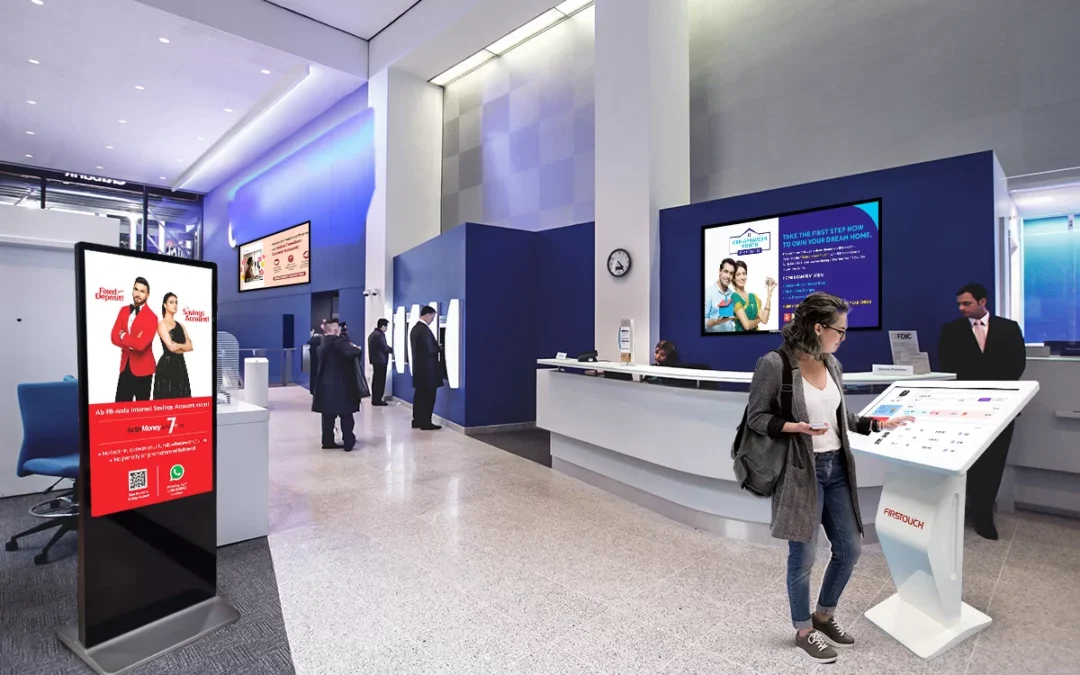
Retail is one area where digital signage really shines. A major fashion retailer hired us to breathe new life into their in store shopping environment. Their goal was to make it a more interesting and informative place to attract more shoppers and boost sales. They wanted to stand out from rivals and build a memorable brand.
We put digital displays in key spots around the store. These screens showed high resolution videos of products, current deals and interactive style guides. We connected the displays to their inventory system, guaranteeing product information and prices were always correct. The screens also had touch functionality, allowing shoppers to browse everything and access detailed information.
The results speak for themselves. The retailer saw store traffic climb 20% and sales increase 15% within the first three months. Shoppers said they had a more engaging and informative experience. Many liked how easy it was to find product details and styling ideas. The digital signage also let the retailer cut printing costs and strengthen their brand.
Healthcare Efficiency: Kiosk Case Studies from Elpro Technologies
Kiosks also provide big advantages in healthcare environments. A large hospital system approached us with a problem: long wait times and slow check in. Patients often complained about the frustrating registration process and staff were overwhelmed with paperwork. They needed a solution to speed up check in and make patients happier.
We created a custom kiosk solution that allowed patients to check in quickly and easily using a touch screen. The kiosks connected to the hospital’s electronic health record system, letting patients update their information, verify their insurance and process payments. The kiosks also helped with wayfinding, making it easier to get around the hospital.
The results were immediate and substantial. Patient wait times dropped 50% and patient satisfaction scores rose 30%. Staff could spend more time on important tasks, like direct patient care. The kiosks also helped the hospital reduce paperwork and improve data accuracy.
Trade Show Engagement: Elpro Technologies Interactive Kiosk Solutions
Trade shows give businesses a great chance to show off their products and connect with potential clients. A leading technology firm wanted to make a more engaging and memorable experience for people at a major trade show. They needed something that would grab attention, generate leads and reinforce their key messages.
Our team designed an interactive kiosk featuring a product demo presented as a game. People could use the touch screen to learn about the company’s products and services, answer quiz questions and win prizes. The kiosk also collected useful lead data, including contact information and what products people liked.
The kiosk was a smash hit. The company generated more than 500 qualified leads and saw a big increase in brand awareness. Attendees liked the interactive experience and the chance to learn more about the company’s offerings in an engaging way.
Enhancing Internal Communications: Digital Signage Case Studies
Digital signage is useful beyond external communications. It also improves internal communications and boosts how engaged employees are. A large manufacturing company struggled to keep its employees informed about important company news, safety rules and performance numbers. They needed something that could reach all employees, no matter where they were or what they did.
We installed digital displays throughout the company’s manufacturing plants and office spaces. These screens displayed company news, safety guidelines, performance data and employee recognition. We also connected the displays to the company’s HR system, allowing employees to access personalized information, such as their benefits and vacation schedules.
The results impressed. Employee engagement scores increased 25% and employees showed they knew more about company news and safety updates. The digital signage also created a stronger sense of community and improved employee morale.
Improving Wayfinding on Campus: Kiosk Solutions for Universities
Getting around a big university campus can be hard for students, faculty and visitors. A major university partnered with us to improve wayfinding and make it easier to access campus information. Their goal was to create a system that was easy to use and would help people find their way around campus, locate buildings and classrooms and access information about events and services.
Our team placed interactive digital kiosks in key spots across campus. These kiosks featured a touch screen with a campus map that updated in real time, a directory of buildings and departments and an events calendar. The kiosks also provided updates on shuttle schedules, parking and emergency alerts.
The kiosks quickly became popular within the university. Students, faculty and visitors liked how easy they were to use and the amount of information available. The kiosks reduced crowding at information desks, improved campus navigation and enhanced the overall experience.
Boosting Restaurant Sales: Digital Menu Board Case Studies
Quick Service Restaurants are always looking for ways to make the dining experience better and increase sales. A popular fast food chain worked with us to put in place digital menu boards in their restaurants. Their aim was to create a menu that was more visually appealing and engaging that would increase how much people spent on average and improve how satisfied they were.
We created digital menu boards displaying high resolution images and videos of the restaurant’s menu items. The menu boards were programmed to change depending on the time of day, showing breakfast items in the morning, lunch specials in the afternoon and dinner entrees in the evening. The menu boards also featured promotional deals and upsell suggestions, encouraging customers to add extra items to their orders.
The results speak for themselves. The restaurant chain saw a 5% increase in how much people spent on average and a 10% increase in sales of featured menu items. Customers liked the clarity and visual appeal of the menu boards. Many said they were more likely to try new items after seeing them on the digital displays.
These Elpro Technologies case studies are just some of the successful projects we have completed for our clients. What makes Elpro different is how committed we are to delivering solutions designed for each customer’s specific needs. We work closely with our clients to identify their problems, develop strategies and achieve measurable results.
Our team has a lot of experience in digital signage and kiosk technology. We constantly look at new trends and innovations. We maintain close communication with our clients to make sure their projects are successful. We focus on understanding what the customer goes through and making every interaction the best it can be.
If you are looking to make your customer experience better, improve your operations or strengthen your brand, please contact us. I would be happy to talk about your needs and develop a solution that will help you achieve your business goals. Let these Elpro Technologies case studies inspire you to transform your business!
by super | Oct 18, 2025 | Elpro Technologies, Elpro Technologies Post
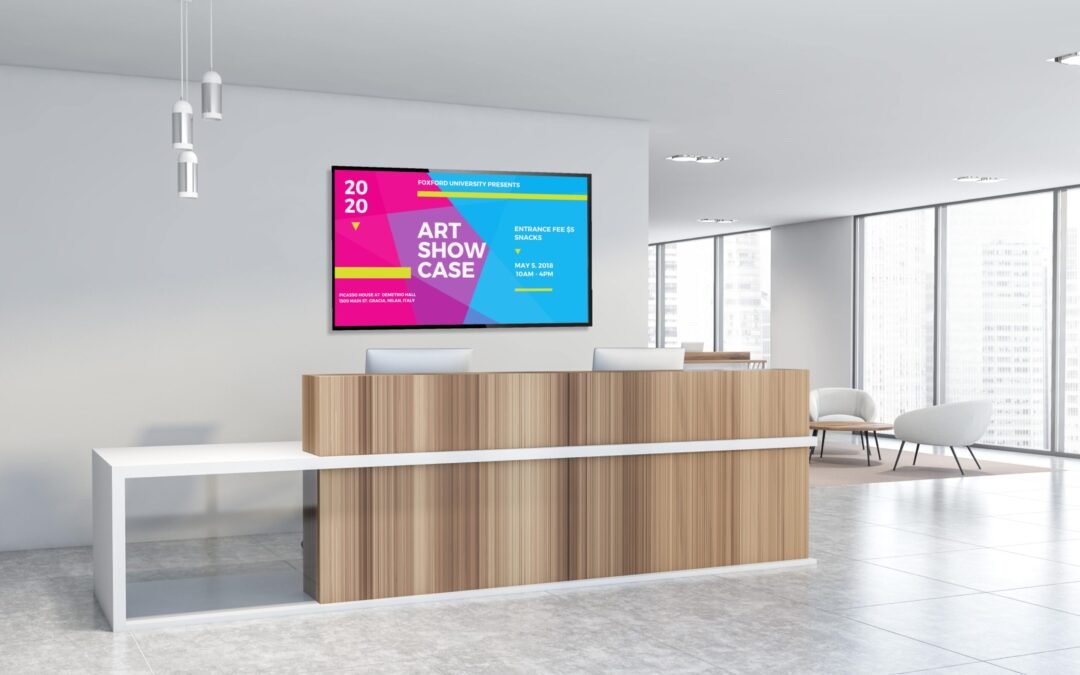
Imagine boosting your sales by 15% just by changing your screens. I have seen companies do just that with digital signage. That is why picking the right digital signage software is so important. I understand that with so many choices, it can be hard to know where to start. So, after spending a lot of time testing different platforms, I have put together this digital signage software comparison to help you make a smart choice. Whether you are running a small shop or a large corporation, the right software is key to getting your message across and grabbing people’s attention.
Why the Software You Choose Really Matters
Before we go any further, let’s talk about why picking the right digital signage software is a big deal. If you pick the wrong one, it can cause some serious problems. I have personally seen what happens when companies make bad software choices:
- Money Down the Drain: Spending money on a system that does not do what you need it to.
- Team Stress: Dealing with software that is hard to use or just does not work right.
- Lost Opportunities: Failing to show interesting content to the people you want to reach.
Reading a good signage software review can help you avoid these issues and make sure you get a system that fits your needs and your budget.
Important Things to Look for in Digital Signage Software
When you are looking at the best digital signage software, make sure it has these features:
- Content Control: Can you easily create, schedule and change your content?
- Hardware Compatibility: Will the software work with the hardware you already have, or will you need to buy new equipment?
- Scalability: Can the software handle your business as it grows, with more screens and more complicated setups?
- Access Management: How well can you control who has access to the software and what they can do?
- Performance Tracking: Does the software tell you how well your content is doing and how people are reacting to it?
- External Connections: Can the software connect to other tools you use, like social media or CRM systems?
- Cost Analysis: What will it cost you in total, including licenses, hardware and support?
Looking closely at these features will help you narrow down your choices and find the solutions that are most important to you.
An In-Depth Look at Top Digital Signage Platforms
Now, let’s take a look at some of the best digital signage software platforms out there. I will share information about what they can do, how much they cost and what users are saying about them so you can get a good overview of each one.
1. ScreenCloud
ScreenCloud is a popular option for businesses of all sizes because it is easy to use and has a lot of apps available. Its simple design makes it easy for anyone to create and manage content for digital signs.
- Key Features: Drag and drop editor, pre made templates, integrations with different apps (social media, news, weather), remote device control and content scheduling.
- Pricing: Offers different plans to fit different needs, available monthly or yearly, starting at about $20 per screen per month.
- User Reviews: Users like that it is easy to use, has good app integrations and has helpful customer support. Some users think it is too expensive for smaller businesses.
2. Yodeck
Yodeck is known for being affordable and having a lot of features. It is a great choice if you want something that is cost effective but still has a lot of capabilities. I was really impressed with what it could do, especially considering how simple it is.
- Key Features: Supports many different media formats, content scheduling, remote device management, user role management, screen grouping and Google Sheets integration.
- Pricing: Offers a free plan for one screen, with paid plans starting at about $8 per screen per month.
- User Reviews: Users appreciate that it is affordable, reliable and has great customer support. Some users have had problems with certain media formats.
3. NoviSign
NoviSign is great for advanced features and customization. It is a good choice if you need something that can be adapted and expanded easily. I especially liked how well it supports interactive content.
- Key Features: Tools for creating interactive content, touch screen compatibility, data integration, customizable templates, advanced scheduling and content triggers.
- Pricing: Offers different monthly and yearly plans. Prices start at about $20 per screen per month.
- User Reviews: Users praise its many features, customization options and consistent performance. Some users think the interface is not as easy to use as other platforms.
4. Scala
Scala is designed for large organizations, offering a full set of features to handle complicated needs. I thought their content delivery network was very reliable.
- Key Features: Sophisticated content control, network administration, audience metrics, data connectivity and support for different kinds of hardware.
- Pricing: Pricing is usually customized for each organization. Contact Scala directly for a quote.
- User Reviews: Users value its scalability, reliability and advanced features. Setting it up and managing it can be harder than with simpler platforms.
5. OptiSigns
OptiSigns is both flexible and easy to use, making it good for many different industries. It is known for being simple and having a comprehensive set of features. OptiSigns is a great option if you want an easy way to manage your digital displays. I found the drag and drop interface very simple to use.
- Key Features: Simple drag and drop interface, large template library, content scheduling, remote device control, integrations with popular apps (for example, Google Calendar, social media) and support for many media formats.
- Pricing: Offers different plans for different business sizes, including a free plan for basic use. Paid plans start at about $15 per screen per month.
- User Reviews: Generally positive, with users pointing out that it is easy to use, has a lot of features and has helpful customer support. Some have mentioned that there are some limitations in advanced customization.
What Affects Digital Signage Software Costs
Understanding what affects software pricing will help you make smart choices. Keep these things in mind:
- Screen Count: Most vendors charge for each screen, so the more screens you have, the more it will cost.
- Feature Set: More advanced features, like interactive content or data integrations, usually cost more.
- Contract Duration: Some vendors offer discounts if you sign up for a longer contract.
- Support Services: The amount of support and training included can change the overall price.
- Hardware Needs: Some software solutions might need specific hardware, which will add to the total cost.
Carefully think about what you need and what your budget is to find the most cost effective solution for your business.
Real Life Digital Signage Examples
Here are some real world examples to show how effective digital signage can be:
- Retail Environment: A clothing store uses digital signage to show off new items, promote deals and make shopping better. Sales went up by 15% after they installed the system.
- Hospitality Sector: A hotel uses digital signage to help people find their way around, promote services and give information to guests. Guest satisfaction improved a lot.
- Corporate Setting: A company uses digital signage to share company news, announcements and training materials with employees. Employee engagement and productivity went up.
These examples show how digital signage can improve communication, engagement and business results.
A Simple Guide to Picking Digital Signage Software
Picking the right digital signage software might seem hard. This guide is here to make it easier:
- Know What You Want: What do you want to achieve with digital signage? Do you want to increase sales, improve communication or make customers happier?
- Know What You Need: What features are most important to you? Think about content control, hardware compatibility and system integrations.
- Set a Budget: How much are you willing to spend on digital signage software? Include the cost of licenses, hardware and ongoing support.
- Do Some Research: Look at different software platforms and compare their features, pricing and user reviews.
- Ask for Demos: Most software vendors offer free trials or demos. Use these to test the software and see if it fits your needs.
- Read User Reviews: Read software reviews on independent websites. What other users say can give you good information.
- Make a Decision: After you have all the information you need, make a smart choice based on what you want to achieve, what you need and what your budget is.
What is Next for Digital Signage
Digital signage is always changing, with new technologies always improving what it can do. Here are some things to watch for:
- Artificial Intelligence (AI): AI can allow digital signage to show content that is specific to who is watching, based on their demographics, behavior and preferences.
- Interactive Features: Touch screens and gesture recognition are making the experience more engaging and interactive.
- Data Integration: Digital signage is being connected to other systems, like CRM and analytics platforms, to give more complete customer information.
- Cloud Based Solutions: Cloud based digital signage software is becoming more popular because it can be scaled easily, is flexible and is easy to manage.
As technology gets better, digital signage will keep becoming more important in communication and engagement strategies.
Conclusion: Choose Wisely
Picking the right digital signage software is an important decision that can have a big impact on your business. If you carefully think about your goals, needs and budget, you can find a solution that helps you communicate better and engage your audience. I hope this digital signage software comparison has given you the information you need to make the best choice. Do not forget to use free trials and demos to test different platforms before you commit to one for the long term.
