by super | Oct 18, 2025 | Elpro Technologies, Elpro Technologies Post
Did you know that businesses can boost sales by up to 30% simply by using interactive kiosks? Finding the right kiosk manufacturers is the key to unlocking that potential, transforming how customers engage with your brand. It may seem like a complicated task, but I am here to simplify it.
My team and I have been researching the best kiosk manufacturers to help you create engaging, easy experiences for your customers. We have looked at their strengths, where they could improve and the situations where they perform best. We aim to provide you with the knowledge needed to make the right choices. We’ll examine hardware, software matching, customization options and support services to help you find the best interactive kiosk vendors for your specific requirements.
Think of your self service kiosk as an extension of your company. It is a touchpoint that shapes what customers think. A good kiosk improves customer satisfaction, makes operations smoother and increases revenue. A bad one can cause frustration, lost sales and hurt your brand.
I remember a client who chose the cheapest kiosk vendor. The kiosks kept breaking down, the interfaces were confusing and they looked unprofessional. The client ended up spending more money on repairs than they would have if they had chosen a good manufacturer. That experience showed the importance of prioritizing quality and choosing a partner who understands your business.
What to Consider When Choosing Kiosk Manufacturers
When you compare kiosk manufacturers, keep these things in mind:
- Experience: How long has the manufacturer been around? What are their qualifications and certifications? Have they worked with companies in your industry before?
- Hardware: What types of kiosks do they offer? What are the technical specifications? Can they change the hardware to fit your exact needs?
- Software: Does their kiosk hardware work with your current software? Do they help with software creation or integration?
- Customization: Can they change the look of the kiosk to match your brand? Can they add special features?
- Customer Support: What kind of support do they offer? How quickly do they respond? Can they prove they make customers happy?
- Pricing: How does their pricing compare to competitors? What is included in the price? Are there any hidden costs?
Leading Kiosk Vendors
Here are some of the top kiosk manufacturers. These companies are known for quality, new ideas and customer satisfaction. There are others. I suggest you do your own research to find the best fit for your specific needs.
Olea Kiosks Inc.
Olea Kiosks has a history of providing excellent, custom kiosk solutions. They offer many different kiosks, from basic self service models to advanced interactive units. They are good at creating visually appealing, durable kiosks that match brand specifications.
- What is Great: Lots of experience, many kiosk options, excellent customization and strong construction.
- What is Not: Can be expensive and custom projects may take longer.
- Best For: Companies that need highly customized kiosks and will pay for premium quality.
Frank Mayer and Associates, Inc.
Frank Mayer and Associates is a dependable manufacturer, especially for retail and point of sale kiosks. They offer complete services, from design to implementation. Their project management skills ensure a smooth process.
- What is Great: Full service provider, excellent project management, experience in large deployments and specialization in retail.
- What is Not: May not be the best for specialized applications and offers less flexibility than smaller manufacturers.
- Best For: Retailers who want to quickly deploy many kiosks.
KIOSK Information Systems
KIOSK Information Systems is a major business in the kiosk industry. They offer standard and custom solutions. They are dedicated to new ideas and technology. Their software integration skills are especially worth noting.
- What is Great: Global reach, many solutions, new technologies and software integration.
- What is Not: Operations can be complex and pricing may not be clear.
- Best For: Large businesses that need a global partner with diverse skills.
Meridian
Meridian manages every part of the kiosk process, from design to manufacturing. This allows them to offer high quality kiosks at competitive prices. They also focus on sustainability and reducing their environmental impact.
- What is Great: Vertically integrated, competitive pricing, focus on sustainability and many standard models.
- What is Not: Few customization options and inconsistent customer support.
- Best For: Businesses that want cost effectiveness and environmental responsibility.
Source Technologies
Source Technologies specializes in secure self service kiosks for banks and other industries with strict security needs. Their kiosks are carefully designed to protect sensitive data and prevent fraud. Their attention to detail and security is impressive.
- What is Great: Strong security measures, experience serving the banking sector, secure design and regulatory compliance.
- What is Not: Few customization options and high prices.
- Best For: Banks and financial institutions that need secure self service technology.
Customization and Scalability
When choosing interactive kiosk vendors, remember customization and scalability. Your needs will change, so choose a manufacturer that can adapt. Can they add new features? Can they build more kiosks as demand increases?
I once helped a client who started a small test program. It was so successful that they needed hundreds of more kiosks in many locations. They had chosen a manufacturer that could easily scale. If not, they would have had to switch vendors and start over.
The Importance of Software
The hardware is just one part. The software that runs your kiosks is also important. Make sure the kiosk manufacturers you are considering offer good software that works with your current systems. Can their kiosks connect to your payment processors, inventory systems and customer relationship management (CRM) platforms?
I suggest you ask for a software demonstration and test the software thoroughly. Pay attention to the user interface, the features and how easy it is to use. The software should be easy for both your customers and your staff.
Customer Support
Even the best kiosks will need maintenance. Before you commit, ask about the manufacturer’s customer support. Do they have a support team? How quickly do they respond? Do they offer on site maintenance?
I always recommend reading online reviews and asking for references. Find out what other customers think of their customer support. A responsive support team can prevent many problems.
Making the Decision
Choosing the right kiosk manufacturer is important and can greatly affect your business. By carefully thinking about your needs, considering your options and asking the right questions, you can create a successful partnership that helps you create a thriving self service system. Take your time, do your research and get expert help if you need it. With the right kiosk and the right partner, you can change your customer interactions and achieve your business goals.
I have seen the positive effect that good self service kiosks can have on businesses of all sizes. From improving operations and customer satisfaction to increasing revenue and brand awareness, the possibilities are endless. By investing in quality and partnering with the right company, you can unlock the full potential of self service technology and improve your business.
by super | Oct 18, 2025 | Elpro Technologies, Elpro Technologies Post
Did you know that businesses using digital signage see an average revenue increase of 15 to 20 percent? It is a fact that immediately grabs your attention. I have seen firsthand how Elpro Technologies uses sleek kiosks and vibrant digital displays to transform customer experiences and significantly drive revenue. We dedicate ourselves to providing innovative digital signage and kiosk solutions that enable businesses to flourish in the modern marketplace.
I have personally observed businesses across diverse sectors completely change their spaces using strategic digital solutions. The effect of well designed digital signs and interactive kiosks is undeniable, from small boutiques to large corporate offices. The key involves creating a comprehensive strategy that resonates with your target audience, aligns with your brand and delivers results that you can measure. Elpro Technologies excels at this, providing a diverse array of customized solutions tailored to the specific requirements of businesses seeking to improve customer engagement.
The Power of Elpro Technologies Digital Signage
Consider digital signage as a communication hub that is constantly changing, informing, entertaining and persuading. I have assisted many businesses in using digital signage to:
- Boost Brand Recognition: Use interesting visuals and consistent messaging to reinforce your brand identity.
- Improve Customer Journeys: Offer valuable information, easy navigation and engaging content to guide customers smoothly.
- Increase Sales: Promote limited time offers, highlight essential products and encourage quick purchases.
- Improve Internal Communications: Keep your team informed with current company news, announcements and training materials.
For example, a coffee shop I advised experienced a substantial 20% rise in sales after implementing a digital menu board that showed daily specials and promotions. A car dealership also utilized digital signage to display vehicle features, which led to a considerable increase in test drive appointments.
Tips for Creating Engaging Digital Signage Content
Hardware is important, the real effect of digital signage comes from creating interesting content that holds your audience’s attention. A few key lessons I have learned over time include:
- Understand Your Audience: Adjust your content to match their specific interests, needs and preferences.
- Keep it Short: Quickly capture attention with short messages that have impact.
- Use High Quality Visuals: Use professional photos and videos to improve visual appeal.
- Add Animation: Use motion graphics to catch the eye and keep people interested.
- Keep it Fresh: Update your content regularly to ensure it remains relevant and prevents viewer boredom.
[IMAGE_PLACEHOLDER: A digital signage display in a retail store showcasing a product. Alt Text: Digital signage showcasing a new product at Elpro Technologies retail solution.]
Elpro Kiosks: Interactive Solutions for Improved Customer Experiences
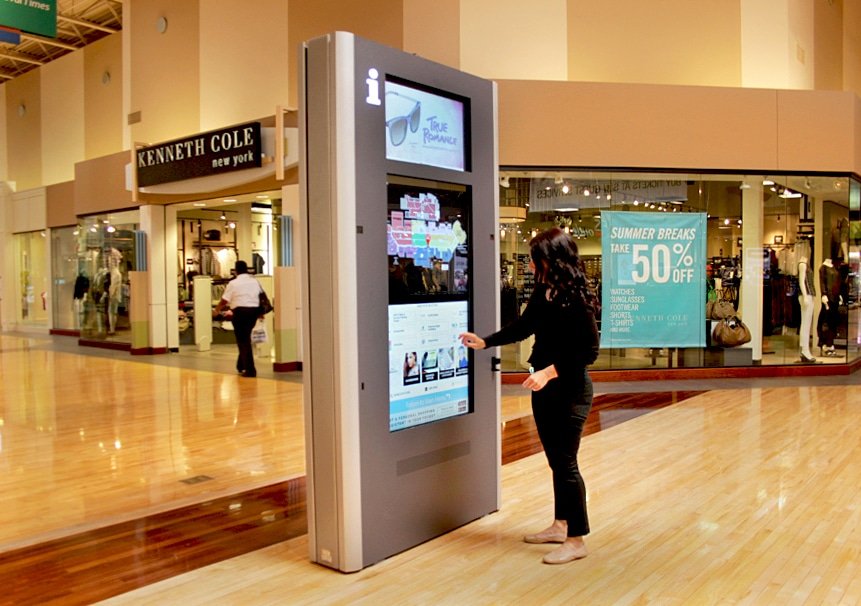
Kiosks represent more than just self service stations. They are interactive systems that provide a variety of services, from simple food ordering to efficient appointment check ins and easy information access. I have witnessed how kiosks can change customer interactions, resulting in smoother operations and greater customer satisfaction.
We provide a full collection of Elpro kiosks designed to meet the specific requirements of various industries, including:
- Retail Kiosks: Enable customers to browse products, place orders and process payments independently.
- Hospitality Kiosks: Simplify guest check in, manage room service orders and provide valuable local information.
- Healthcare Kiosks: Simplify patient registration, appointment scheduling and access to medical records.
- Government Kiosks: Provide citizens with easy access to public services, forms and information.
A fast food restaurant I consulted implemented self ordering kiosks, which lowered wait times and improved order accuracy. A hospital I supported also utilized kiosks to simplify patient registration, freeing up staff to focus on providing quality patient care.
Designing Kiosk Interfaces That Are Easy to Use
A well designed kiosk interface is essential for ensuring a smooth user experience. Remember these key principles:
- Focus on Easy Navigation: Ensure users can easily find the information or service they require.
- Provide Clear Instructions: Offer short, easy to follow instructions for each step.
- Optimize for Touch: Use large buttons and fonts for easy viewing and tapping.
- Embrace Accessibility: Add features that make the kiosk accessible to people with disabilities.
- Implement Strong Security: Protect user data and prevent unauthorized access.
[IMAGE_PLACEHOLDER: A customer using a self service kiosk in a fast food restaurant. Alt Text: Customer using an Elpro Technologies self service kiosk to order food.]
The Foundation: Reliable Digital Signage Software
The correct digital signage software is essential for effectively managing and controlling your digital signage network. It enables you to:
- Create and Schedule Content: Develop interesting content and schedule its playback easily.
- Manage Centrally: Control and monitor all your displays from one central location.
- Track Performance: Monitor key metrics such as impressions, views and engagement.
- Integrate with Existing Systems: Connect your digital signage with business systems like point of sale (POS) and customer relationship management (CRM) platforms.
We provide various digital signage software options to accommodate diverse needs and budgets, from cloud based platforms to on premise solutions.
Key Things to Consider When Choosing Digital Signage Software
When selecting digital signage software, remember the following factors:
- Easy to Use: Choose software that is easy to learn, even for users without technical skills.
- Full Feature Set: Ensure the software provides the features you require to effectively manage your network.
- Scalability: Choose software that can expand with your business.
- Training and Support That You Can Depend On: Select a provider that offers full training and continuous support.
- Competitive Pricing: Compare pricing models and select a solution that matches your budget.
Selecting the Right Kiosk Hardware
The kiosk hardware you choose depends on your specific requirements. Consider these key aspects:
- Screen Size and Quality: Select a screen size and resolution that matches the intended use.
- Touch Responsiveness: Choose a touchscreen that offers excellent responsiveness.
- Enclosure That Is Durable: Select an enclosure that is strong and resists weather.
- Peripheral Integration: Determine if you need to integrate additional devices such as printers, scanners and card readers.
- Security Features: Ensure the kiosk incorporates security measures to protect against theft and vandalism.
We offer a wide array of kiosk hardware options, from freestanding kiosks to wall mounted units and tabletop models.
Prioritizing Kiosk Security
Kiosk security is extremely important, especially for kiosks that handle sensitive data or financial transactions. Essential security measures include:
- Physical Protection: Secure the kiosk to prevent theft or tampering.
- Software Protection: Install antivirus software and firewalls to protect against malware.
- Data Encryption: Encrypt sensitive data to prevent unauthorized access.
- User Authentication: Require users to authenticate themselves before accessing sensitive features.
- Regular Monitoring and Updates: Keep your software and security protocols current.
[IMAGE_PLACEHOLDER: A refined, modern kiosk in a shopping mall providing information. Alt Text: Elpro Technologies information kiosk in a modern shopping mall.]
The Future of Digital Signage and Kiosks
The world of digital signage and kiosks is always changing, with new technologies and applications appearing. I monitor these trends closely. The most important include:
- Artificial Intelligence (AI): AI powered digital signage can dynamically adjust content based on viewer demographics and behavior.
- Facial Recognition: Facial recognition technology can identify viewers and personalize content.
- Internet of Things (IoT) Integration: IoT devices can connect with digital signage to provide real time data and information.
- Interactive Experiences: Digital signage and kiosks are becoming more interactive, enabling users to engage with content in new ways.
- Sustainable Solutions: There is an increasing focus on energy efficient displays and sustainable materials.
For example, I am observing AI being used to assist retailers in predicting customer preferences based on past purchases and browsing history, and then display targeted ads on in store digital signage. I am also experimenting with IoT sensors to collect data on foot traffic and environmental conditions, which can then be used to optimize content and lower energy consumption.
Success Stories That Are Real
Consider these examples of how Elpro Technologies has helped businesses achieve results using digital signage and kiosk solutions that they can see.
Case Study 1: Improving the Patient Experience at a Medical Clinic
A large medical clinic struggled with long wait times and patient dissatisfaction. Patients often felt uninformed while waiting. We installed digital signage displays in the waiting areas, providing information on:
- Estimated wait times
- Health and wellness tips
- Clinic services and specializations
- Promotional offers for related services (e.g., vaccinations and physical therapy)
The results proved remarkable. Patient satisfaction scores rose by 30%, and the clinic saw a substantial drop in complaints. The digital signage provided valuable information and helped create a more relaxed setting.
Case Study 2: Increasing Sales at a Retail Apparel Store
A retail apparel store wanted to increase sales and improve the customer experience. We installed interactive kiosks that allowed customers to:
- Browse the store’s complete inventory (including items not on display)
- Check product availability and sizes
- Create custom outfits and share them on social media
- Join the store’s loyalty program
The kiosks proved successful with shoppers, who appreciated the personalized shopping experience. The store reported a 25% rise in sales and improved customer loyalty.
Case Study 3: Improving Operations at a Manufacturing Plant
A manufacturing plant faced challenges with internal communication and employee training. We installed digital signage displays throughout the plant, providing information on:
- Production targets and performance metrics
- Safety rules and training materials
- Company news and announcements
- Employee recognition and achievements
The digital signage helped improve employee engagement, lower accidents and increase productivity. The plant also saw a drop in printing costs, as they eliminated paper based communications.
Partner with Elpro Technologies
Are you ready to transform your business with digital signage and kiosk solutions? Elpro Technologies can help. We offer a full suite of services, including:
- Consultation and Planning: We will work with you closely to understand your specific needs and develop a solution that is designed for you.
- Hardware and Software Selection: We will help you choose the best hardware and software for your specific use.
- Content Creation and Management: We will develop engaging content that captures your audience’s attention.
- Installation and Support: We will install your system and provide continuous support to ensure it works perfectly.
We are dedicated to exceeding customer expectations. We will work with you throughout to ensure you are completely satisfied.
Ultimately, Elpro Technologies represents more than just a provider of digital signage and kiosks. We serve as a partner that you can trust, dedicated to helping businesses flourish. Contact us to learn more about how we can help you achieve your business goals.
by super | Oct 18, 2025 | Elpro Technologies, Elpro Technologies Post
Did you know that incorporating digital signage can nearly double brand recall? It is true. Forget those static displays of the past; the future of digital signage is now, and it is interactive, smart and eco conscious. Let us take a look at the trends that are shaping it.
Interactive Digital Displays: More Than Just a Screen
Interactive displays are evolving beyond basic advertising. They are becoming full engagement centers. You will see more touchscreens, gesture recognition and even voice interaction. I once worked on a project that put interactive kiosks in a retail store. Customers could check stock, browse products and buy items right there. What happened? Sales went up and customers were much happier.
But it is not just for stores. Museums use interactive displays to make exhibits better, creating learning experiences that fully immerse the visitor. Transportation hubs give real time updates and personalized help, guiding people in train stations and airports. Imagine touching a dinosaur exhibit and getting all the details on its habitat. That is engagement that sticks with you.
Artificial Intelligence in Digital Signage: Content That Is Personal
Artificial intelligence is changing how content is delivered on digital signs. AI can look at the audience, noting things like age, gender and mood with facial recognition. This data is then used to deliver ads that are targeted in real time. I saw click through rates and engagement jump when working with an ad agency that used AI driven personalization. The results were immediate.
AI can also make content management easier. Algorithms can schedule content based on things such as foot traffic, weather and what is trending on social media. This makes sure the right message gets to the right people at the right time. Billboards simply cannot do that.
Edge Computing: Faster and More Reliable
Edge computing puts data processing closer to where the data comes from. This gives digital signage networks a big advantage. Before, we had to rely on central servers. This caused delays and bandwidth problems, especially if the internet connection was not great. Edge computing fixes this by processing data locally, cutting down on delays and making things more reliable. I know of several companies that have seen huge improvements in their digital signage after switching to edge computing solutions.
One example that stands out is when edge computing was added to a digital signage network in a busy transportation hub. This allowed for real time updates and personalized information to be delivered, even when the network was overloaded. The result was passengers were more satisfied, which boosted loyalty.
Sustainability in Digital Signage: Going Green
Businesses are becoming more aware of the environment and are looking for ways to reduce their carbon footprint. This includes digital signage. There is a growing need for displays that use less energy and for content creation methods that are sustainable. Some manufacturers now make displays from recycled materials that use less power. Content creators are also finding ways to cut down on energy use when making and sharing content. These changes, when added up, can make a real difference.
One strategy is to create content with smaller file sizes and to use advanced video codecs. Furthermore, using cloud based content management systems that are powered by renewable energy can greatly reduce the environmental impact. These small changes add up.
The Internet of Things (IoT): Connected Like Never Before
The Internet of Things allows devices and systems to talk to each other. Digital signage is being added to these networks more and more. This improves content delivery and personalization. For example, a digital sign in a store could show product information based on data from IoT sensors. These sensors track customer movement and product interaction. I saw this work firsthand when integrating digital signage with a building management system. The signs showed real time data on energy use, air quality and occupancy. This helped people make better decisions for a smarter environment.
Combining IoT with digital signage opens many possibilities. Picture a smart city where digital signs show real time traffic updates, public transportation schedules and hazard alerts. This connectivity can greatly improve the quality of life for both residents and visitors.
LED Technology: Brighter and More Efficient
LED technology has changed digital signage, giving us brighter displays that use less energy. And LED technology keeps getting better, pushing the limits of what is possible. MicroLED displays offer even better brightness, contrast and energy savings when compared to traditional LEDs. They are also more durable and last longer, making them great for outdoor use.
Flexible LED displays can be bent and curved to fit any surface. This opens up new possibilities for creative digital signage designs. They have been added to building designs to create immersive environments and improve how the building looks. The visual impact is truly impressive.
Augmented Reality (AR): Blurring the Lines
Augmented reality is changing how we interact with digital signage by blurring the lines between the physical and digital. AR displays put digital content over the real world, making for interactive experiences. For example, a customer could point their phone at a digital sign in a clothing store and virtually try on clothes using AR. I once partnered with a museum to develop an AR application that allowed visitors to see dinosaurs in their natural habitat. It was both educational and engaging.
AR can also give more detailed product information. A digital sign at a car dealership could show an AR view of a car engine, allowing customers to see how it works. This builds trust in the brand.
Content Management Systems (CMS): Making Things Easier
Content management systems are more important than ever as digital signage networks get more complex. A solid CMS lets users easily create, schedule and share content to many displays from one spot. A good CMS should have content versioning, user role management and real time display monitoring. I have seen this play out many times in my work.
Cloud based CMS solutions are becoming more popular because they are more scalable and flexible. They let users manage their digital signage networks from anywhere, which is important for organizations with locations spread out geographically.
What Is Next for Digital Signage?
The future of digital signage is full of potential. The innovations I have discussed will change how businesses talk to their audiences. By embracing these technologies and keeping up with trends, businesses can make digital signage experiences that are more engaging, informative and effective. I am eager to see what comes next and to help clients navigate this landscape. It is an exciting time to be a part of this.
by super | Oct 18, 2025 | Elpro Technologies, Elpro Technologies Post
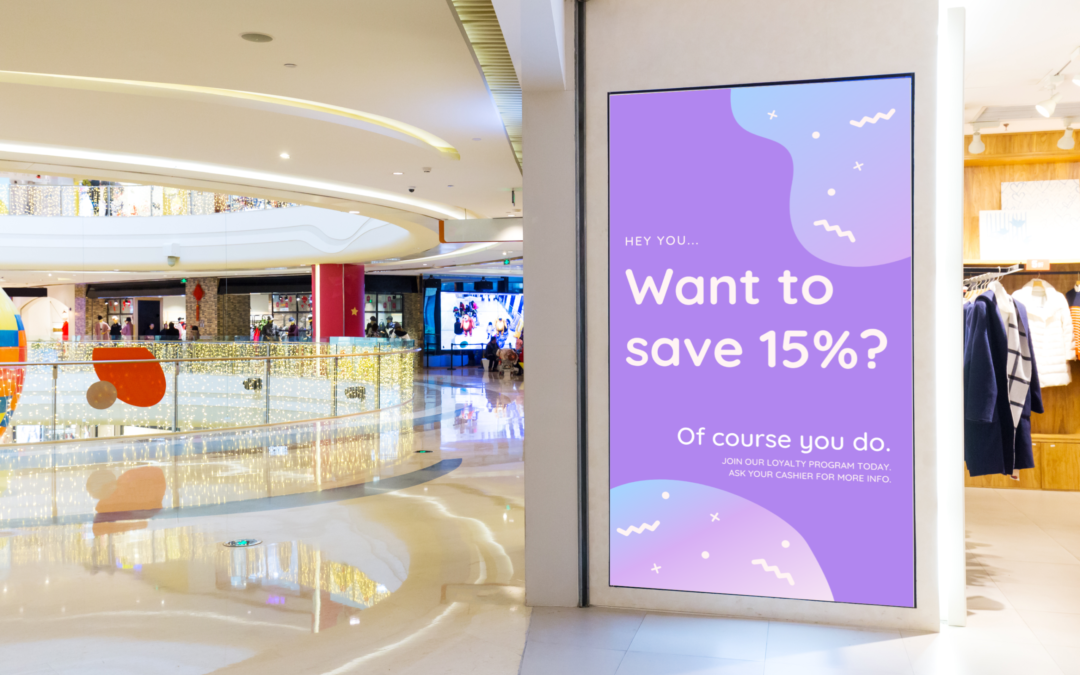
Did you know that businesses using digital signage for retail often experience, on average, a 28% jump in sales? I have seen firsthand how compelling visuals and well timed information can breathe new life into a store. Static signs? They simply cannot compete with engaging digital displays. Choosing the right approach does not need to be complicated. If you have a solid plan, you can design a retail space that grabs attention and turns window shoppers into dedicated customers.
Static posters used to be the standard, but they now lack the punch of modern retail digital signage. Think about the possibilities: immediate updates to promotions, real time highlights of popular products and even estimated wait times for shoppers. That level of flexibility is crucial in today’s competitive retail world. Let us explore how you can maximize digital signage for retail.
- More Customer Attention: Interesting content immediately grabs people’s attention and keeps them watching.
- Better Brand Messages: Consistent and visually appealing displays strengthen your brand image and values.
- More Sales: Smart placement and great content can lead to impulse buys and greatly increase how visible your products are.
- Lower Printing Costs: Forget about frequent and expensive reprints of static signs and posters.
- Optimization Through Data: Track how well your content is performing and improve your strategy to get the best results.
Before you get into technical details, decide what success looks like to you. What specific things do you want to achieve with your digital signage for retail? Is it to boost brand recognition, promote certain products, improve the overall customer experience or some combination of those goals? Clearly understanding what you want to accomplish will guide your choices and ensure successful implementation.
Key Things to Think About for Digital Signage for Retail
When putting in digital signage for retail, think about these important questions:
- Who are you trying to reach? What are their interests, preferences and needs?
- What kind of content will you show? Will you use still images, moving videos, engaging animations or a mix of these things?
- Where will you put the screens? Places with lots of traffic, near checkout counters or inside specific product areas?
- How much money is available for your digital signage project? That includes hardware, software, content creation and ongoing maintenance.
- Do you have the technical skills needed to manage the displays and content? Or will you need outside help and support?
There is a wide variety of digital display options in the market, each with its own unique strengths and features. I have worked extensively with several types, and here is a quick look at some popular choices:
- LCD Displays: These displays offer excellent image clarity and brightness, which makes them good for many uses, from small promotional spots to large video walls. I have found LCDs especially useful in clothing stores for showing new arrivals and in electronics stores for highlighting detailed product information.
- LED Displays: LED displays use less energy and are brighter than LCDs, making them great for outdoors or brightly lit spaces. They are also becoming more common indoors. I once helped a grocery chain install an LED display near the entrance to promote daily specials, which greatly increased traffic in those departments.
- OLED Displays: OLED displays offer better contrast and more accurate colors than LCDs and LEDs, which results in superior visual quality. They are often used in high end boutiques to show off luxury items and create a high end shopping experience.
- Interactive Displays: Interactive displays allow customers to directly engage with the content, which creates a more personal and memorable experience. These range from simple touch screen kiosks to advanced augmented reality applications. I worked with a beauty store that added interactive displays that let customers virtually try on makeup, which led to a noticeable increase in sales.
- Video Walls: Video walls combine several displays to create one large and visually impressive image. They are often used in flagship stores to make a strong impression and increase brand awareness.
- Projectors: Projectors are an affordable way to display large images onto various surfaces, making them a good choice for short term installations and seasonal displays. I once used a projector to create a captivating seasonal display on a department store front, which attracted significant attention and foot traffic.
After you have picked the right display technology, carefully consider the specific features available. Here are some important things to keep in mind:
- Brightness: The display’s brightness should match the store’s lighting. Displays that are too dim will be hard to see, while overly bright displays can be distracting and annoying.
- Resolution: The display’s resolution affects image clarity and detail. Higher resolution displays are important for showing detailed images and videos with the best visual quality.
- Contrast Ratio: The contrast ratio measures the difference between the brightest and darkest parts of the image. A higher contrast ratio means better image quality and more vibrant visuals.
- Viewing Angle: The viewing angle is the range from which the display can be seen without visual distortion. A wider viewing angle is good for displays that will be viewed by many people.
- Durability: Stores can be tough environments, so pick displays that are durable and can handle everyday wear and tear. Choose displays made for commercial use with a long lifespan.
- Connectivity: The display must easily connect with your content management system and other devices. Common connection options include HDMI, DisplayPort and USB.
- Content Management System (CMS): A CMS is software used to control the content on your digital signage network. A good CMS should be easy to use and allow remote updating, scheduling and reporting.
Great digital displays require great content. The content should be relevant, interesting and consistent with your brand’s image and message. I helped a local bakery create videos showing how they make their pastries, which entertained customers and highlighted their commitment to quality and craftsmanship.
Content Creation Tips for Digital Signage
- Keep it Short: Customers do not pay attention for long, so be brief and get to the point.
- Use High Quality Visuals: Images and videos should be clear, visually appealing and professionally made.
- Focus on Benefits: Highlight how your products or services meet customer needs or make their lives better.
- Include a Clear Call to Action: Tell customers what you want them to do next, such as visit a product display, subscribe to a newsletter or buy something.
- Update Your Content Often: Keep your content fresh and interesting by updating it regularly to keep customers interested.
Where you put the display is as important as the content itself. Look at how people move through your store and put displays where they will be seen by the most people. I have seen retailers achieve great results by putting displays near entrances, checkout lines and inside specific product areas.
Smart Placement of Digital Signage
- Entrance Displays: Use these to grab attention as customers enter and show your latest promotions or new product arrivals.
- Checkout Line Displays: These encourage impulse buys or promote loyalty program sign ups while customers are waiting in line.
- Product Section Displays: These highlight key product features and provide helpful information to help customers make purchasing decisions.
- Window Displays: These attract people walking by and create interest in your brand, which encourages them to come into your store.
- Wayfinding Displays: These help customers quickly find the products or departments they want, which makes their shopping experience better.
To know if your digital signage for retail is working, you must track how well it is performing. Think about monitoring these key things:
- Sales Data: Track sales of products shown on your digital signage to see how it affects revenue.
- Foot Traffic: Monitor how many people walk through areas with displays to see if they attract and engage customers.
- Customer Engagement: Track how customers interact with the displays, such as touch screen use or QR code scans.
- Brand Awareness: Conduct surveys to measure how aware people are of your brand and how they see it after being exposed to your signage.
- Website Traffic: Monitor website traffic from customers who have seen your digital signage.
By carefully studying these things, you can see how effective your digital signage for retail strategy is and make smart changes to improve its performance. I once helped a retailer realize that a certain video advertisement was not working well. By changing the message, they saw a 30% increase in sales of that product in a few weeks.
The world of in store advertising is always changing. I expect to see even more creative uses of digital signage, including:
- Personalized Content: Displays will use data to recognize individual customers and show content that matches their specific interests and preferences.
- Augmented Reality (AR): AR will allow customers to interact with merchandise in completely new ways, such as virtually trying on clothes or seeing how furniture looks in their homes.
- Artificial Intelligence (AI): AI will improve content and scheduling in real time based on data, which ensures maximum impact and relevance.
- Integration with Mobile Devices: Customers will easily interact with digital signage through their smartphones, which creates a more connected and personal shopping experience.
As technology continues to improve, retail digital signage will become more and more important to the overall customer experience. By staying informed and adopting these improvements, retailers can create store environments that are interesting, informative and more profitable.
Putting money into the right digital signage for retail is a decision that can pay off greatly. If you carefully assess what you need, pick the right displays, create compelling content and put them in smart locations, you can turn your store into an engaging and lively place that increases sales and improves the customer experience. I see your digital displays as a crucial way to communicate with your customers and strengthen your brand image.
by super | Oct 18, 2025 | Elpro Technologies, Elpro Technologies Post
Here is a scary statistic: almost 70% of self service kiosk projects fail to meet their expected return on investment. Companies invest money expecting to see higher productivity and happier customers. Sadly, they are often disappointed. Usually, the problem is not the kiosk itself. Instead, the problem is the deployment strategy. A weak strategy results in poor user adoption and a disappointing kiosk ROI.
I will use my experience to share how to get the most from your kiosk ROI using smart deployment strategies. I have seen the difference between success and failure. No single solution is right for everyone. Despite that, some strategies regularly produce positive results.
Before we get into the specifics of deployment, let us examine the factors that drive kiosk ROI. It is about more than simply reducing labor costs. The possible advantages are big:
- More Sales: Kiosks are great at upselling and cross selling.
- Better Customer Experiences: Self service cuts down on wait times and makes personalized service possible.
- Greater Efficiency: Kiosks automate routine tasks.
- Valuable Data: Kiosks gather data on customer behavior.
- Lower Operating Expenses: Automation reduces the need for staff.
Careful planning is needed to make these benefits a reality.
Defining Objectives for Optimal Kiosk ROI
To increase your kiosk ROI, you must define your objectives. What do you want to achieve? Do you want to reduce wait times, drive sales or improve satisfaction? Clear goals provide a roadmap. Clear goals also allow you to measure your success.
When developing your kiosk strategy, think about these questions:
- What problems are you trying to solve with kiosks?
- What tasks will the kiosks handle?
- Who is your target audience?
- How will you measure success?
For example, a retail store might use kiosks to make checkout faster and provide information about products. A doctor’s office could use them for check in and scheduling. A restaurant might use them for taking orders. Each of these situations calls for a custom approach.
Strategic Location Selection for Enhanced Kiosk ROI
Location is vital for maximizing kiosk ROI. A kiosk in a busy spot will do better than one that is hidden. You must consider these factors:
- Foot Traffic: Focus on areas with lots of foot traffic.
- Accessibility: Make sure kiosks are accessible to everyone.
- Proximity to Services: Put kiosks near related services.
- Environmental Considerations: Think about lighting and temperature.
- Infrastructure: Check for power and internet.
I remember a transportation center that put kiosks in a poorly lit corner. Almost no one used them. After moving them to a central location, usage increased greatly.
The user interface is what people see on your kiosk. It must be easy to use. A bad user interface will frustrate people. You must follow these best practices:
- Simplicity: Use simple language.
- Visual Aids: Use icons and pictures.
- Clear Guidance: Give clear directions.
- Language Options: Provide support for multiple languages.
- Testing and Refinement: Test it with real users.
I have seen kiosks with complicated menus that scared users away. Simplicity is key. If a user cannot figure it out quickly, they will give up.
To improve kiosk ROI, you must integrate them with existing systems like point of sale, customer relationship management and inventory management systems. This lets you do these things:
- Automate Data Transfer: Update systems with kiosk data.
- Customize User Experiences: Provide personalized recommendations.
- Refine Inventory Management: Track inventory levels.
- Understand Customer Behavior: Analyze data about kiosk usage.
If you do not integrate, you create an isolated data silo. Integrating kiosks unlocks their full potential.
Even with a well designed user interface, some users will need help. You must provide staff training and help on the screen. You should offer contact information for technical support.
I have learned that a mix of training, assistance and contact information works best. You must monitor kiosk performance and fix technical problems quickly.
Do not assume customers will know about your kiosks. You must promote them through different channels:
- On Site Signage: Put noticeable signs near the kiosks.
- Digital Channels: Promote kiosks on your website and social media.
- Email Campaigns: Announce kiosks and what they can do.
- Staff Referrals: Have staff recommend kiosks.
- Incentive Programs: Give rewards for using the kiosks.
I worked with a restaurant chain that saw kiosk usage jump after launching a loyalty program.
Kiosk deployment never stops. Track key performance indicators:
- Usage Frequency: How often do customers use the kiosks?
- Transaction Success Rates: Are users completing transactions?
- User Feedback: Are users happy with the experience?
- Error Incidence: How often do errors happen?
- System Outages: How often are the kiosks out of service?
You must analyze these metrics to find areas to improve. If you see low transaction completion rates, simplify the user interface. If you see high error rates, check the hardware or software.
Security is critical. You must protect against data breaches, vandalism and unauthorized access. Put these measures in place:
- Physical Protection: Secure the kiosks.
- Software Hardening: Use a secure operating system.
- Data Protection: Encrypt sensitive data.
- Identity Verification: Require users to authenticate.
- Remote Surveillance: Monitor kiosks remotely.
You must make sure kiosks are accessible to all users. This includes those with disabilities. You must follow accessibility standards. You must consider these factors:
- Screen Placement: Make sure screens are within reach of wheelchair users.
- Audio Assistance: Provide audio output.
- Physical Keypad: Offer a keypad with raised keys.
- Adjustable Text: Let users change the font size.
- Contrast Levels: Use strong contrast.
The data your kiosks gather is valuable. You must analyze it to understand customer behavior and make smarter decisions. You are able to use kiosk data to:
- Optimize Product Presentation: Display popular products in a prominent way.
- Tailor Recommendations: Offer personalized suggestions.
- Refine Marketing Strategies: Target marketing campaigns.
- Adjust Staffing: Optimize staffing levels.
I have helped companies find hidden patterns in their kiosk data. This led to gains in kiosk ROI.
Let us examine examples of companies that use kiosks successfully:
- McDonald’s: Self ordering kiosks have reduced wait times and increased order values.
- Home Depot: Self service checkout kiosks have shortened lines and freed up staff.
- Delta Airlines: Check in kiosks have simplified the check in process.
- Libraries: Self service kiosks let patrons borrow and return items on their own.
Effective kiosk deployment can produce positive results. Despite that, you must be aware of common mistakes:
- Inadequate Planning: Deploying kiosks without a clear strategy.
- Poor Site Selection: Putting kiosks in areas with little traffic.
- Unintuitive User Interface: Designing a user interface that is hard to use.
- Lack of System Integration: Not integrating kiosks with existing systems.
- Insufficient Training and Support: Not providing enough training.
- Neglecting Security: Not protecting against data breaches.
- Ignoring Accessibility: Not making kiosks accessible to everyone.
Self service kiosks are changing. Future kiosks will be shaped by these trends:
- Artificial Intelligence: Artificial intelligence powered kiosks will provide personalized recommendations.
- Facial Recognition Technology: Facial recognition will identify customers.
- Internet of Things: Kiosks will be integrated with Internet of Things devices.
- Mobile Device Integration: Kiosks will be integrated with mobile devices.
- Advanced Data Analytics: Kiosks will gather more data.
By adopting these trends, companies can get the most out of their kiosk deployments.
You never stop deploying kiosks. If you follow these guidelines, you can improve your kiosk ROI and achieve your business goals. The secret is to start deployment with a plan. You must put the user experience first. You must also commit to improving things on a regular basis. If you use self service technology strategically, you should see real results.
by super | Oct 18, 2025 | Elpro Technologies, Elpro Technologies Post
Did you know that well placed digital signs can increase brand awareness by as much as 47%? I have witnessed firsthand how transformative digital signage can be. My team concentrates on content and marketing, and we understand that expertly executed digital displays can significantly enhance brand recognition. I have also observed the opposite: poorly planned content yielding poor results. Therefore, I developed this guide to assist you in mastering digital signage content creation.
Before we explore the ‘how’, let us examine the ‘why’. These days, attention spans are shorter than ever. To genuinely connect with your audience, you have to distinguish yourself. Static signs frequently become lost in the shuffle. However, dynamic and engaging digital signage breaks through the noise.
There exist several strong reasons to invest in digital signage content creation:
- Increased Engagement: Dynamic content, such as videos, animations and interactive elements, captures and maintains attention. Engagement can increase dramatically when transitioning from static to dynamic displays.
- Improved Brand Awareness: Consistent and high quality signage design reinforces your brand identity and helps customers remember you. Consider it an extension of your online presence in the physical realm.
- Efficient Communication: Digital signage enables you to communicate essential information rapidly and efficiently. Whether announcing promotions, displaying safety guidelines or providing directions, digital signs deliver the message.
- Data Driven Optimization: Several digital signage platforms provide analytics to track content performance. This data assists you in fine tuning your content strategy and improving results.
Similar to any successful content marketing effort, effective digital signage content creation starts with a solid understanding of your goals and target audience. What do you intend to achieve with your digital signs? Who do you want to reach?
Ask yourself these vital questions:
- What is the main purpose of your digital signage? Is it to increase sales, improve customer experience or strengthen brand recognition?
- Who comprises your target audience? What are their demographics, interests and needs?
- Where will your digital signs be located? Will they be indoors or outdoors? In a high traffic area or a quieter setting?
- What tone should your content convey? Should it be informative, entertaining or a combination of both?
After you have a clear understanding of your objectives and audience, you can develop a content strategy that connects with them. To illustrate, a coffee shop seeking to increase pastry sales might use a digital sign to display tempting images of baked goods alongside customer testimonials. A hospital could use digital signage to assist people in navigating the building and provide important health information.
Now that you considered your goals and audience, it is time to brainstorm specific content ideas. Creativity remains essential! Develop content that proves both engaging and relevant.
Below are some ideas to get you going:
- Special Offers: Promote limited time offers, discounts and special promotions. This can drive sales for restaurants and retailers.
- Product Spotlights: Highlight your newest products or services with high quality visuals and compelling descriptions.
- Customer Success Stories: Share positive reviews and testimonials from satisfied customers. Social proof is powerful.
- User Generated Content: Encourage customers to share photos and videos of themselves using your products or services. This builds community and generates excitement.
- Informative Content: Share valuable information related to your industry or your products. This could include tips, tutorials, frequently asked questions or industry news.
- Entertainment: Display entertaining content, such as funny videos, trivia or interactive games. Make certain the entertainment fits your brand.
- Event Promotion: Promote upcoming events, concerts or festivals.
- Social Media Feeds: Display your latest social media posts to promote your online and offline presence.
- Weather Updates: Provide current weather information, which is especially useful for outdoor locations.
- Emergency Alerts: Display emergency alerts, such as weather warnings or safety guidelines.
Keep your content updated and varied to hold viewer interest. Repetition can result in boredom. I suggest creating a content calendar to plan your content in advance.
With a list of content ideas available, you can start designing your content. Your signage design skills will prove useful here. If you lack a design background, do not worry! Several user friendly design tools exist to help you create professional looking content.
Remember these essential design principles:
- Keep it Simple: Less proves more. Avoid cluttering your screen with excessive text or too many images.
- Use High Quality Visuals: Use clear and sharp images and videos. Blurry or pixelated images will deter viewers.
- Choose Readable Fonts: Select fonts that are easy to read from a distance. Avoid overly decorative or stylized fonts.
- Use High Contrast Colors: Use colors that provide good contrast to make your text and images stand out.
- Consider Viewing Distance: Design your content so it can be viewed easily from the anticipated viewing location. A sign that appears good up close might be unreadable across a room.
- Maintain Brand Consistency: Use your brand colors, fonts and logo consistently throughout your content.
When evaluating design tools, consider these options:
- Canva: A popular online design tool with several templates and design elements. It is user friendly and ideal for beginners.
- Adobe Creative Suite (Photoshop, Illustrator, After Effects): Industry standard design software offering advanced features. A good choice for those with design experience or seeking highly customized content.
- Google Slides/PowerPoint: Surprisingly effective for simple signage. I have observed very creative digital signage created using these tools.
While static images work, motion graphics and video are even better. Dynamic content proves more engaging and likely to capture attention. You do not require a large budget or complex design to create video content. Simple animations, short clips and looping backgrounds can prove highly effective.
Below are some tips for creating engaging motion graphics and video:
- Keep it Concise: People have limited attention spans, so aim for videos that last 15 to 30 seconds.
- Grab Attention Quickly: Capture attention immediately with a strong opening.
- Use Appealing Visuals: Use visually appealing and high quality visuals.
- Tell a Compelling Story: Create videos that tell a story or convey a message.
- Add Music and Sound Effects: Music and sound effects can enhance the viewing experience.
- Use Text Sparingly: Add text to emphasize key information.
Adobe After Effects works excellently for creating professional motion graphics. Simpler tools like Biteable and Animoto are easier for beginners. Even adding simple transitions to your slides can improve engagement.
After your content is designed, you have to schedule it for deployment to your digital signs. This is typically managed through a digital signage content management system (CMS). A good CMS enables you to:
- Schedule Content: Plan your content calendar and schedule content to play at specific times and dates.
- Target Content: Display different content on different screens based on location or audience.
- Monitor Screens Remotely: Check screen status and troubleshoot any issues.
- Track Performance: Track content performance and make adjustments as needed.
Numerous digital signage CMS platforms exist. Popular choices include:
- BrightSign: A hardware and software solution known for its reliability and performance.
- ScreenCloud: A cloud based CMS that is user friendly and offers several features.
- Yodeck: A cost effective CMS that is popular among small businesses.
- TelemetryTV: Another cloud based option that emphasizes integrations.
When scheduling content, consider the time of day and the audience viewing the screen. You might want to show different content during lunchtime compared to the evening. Regularly update your content to keep it updated and engaging.
The last step in digital signage content creation involves monitoring and analyzing content performance. This will help you identify what performs well and what does not. Adjust and refine your strategy to improve results.
Monitor these essential metrics:
- Viewership: How many people view your content?
- Engagement: Are people interacting with your content (for example, scanning QR codes or using interactive screens)?
- Sales: Does your content drive sales?
- Brand Awareness: Does your content improve brand awareness?
Several digital signage CMS platforms include built in analytics tools to track these metrics. You can also use external tools, such as Google Analytics, to track website traffic and conversions originating from your digital signage.
By monitoring and analyzing performance, you can refine your content strategy and maximize the benefits of your digital signage content.
Remember these best practices when creating digital signage content:
- Understand Your Audience: Tailor your content to the interests and needs of your audience. The more you understand them, the more impactful your content will be.
- Be Concise: People are busy and have short attention spans, so be direct and avoid unnecessary details.
- Use Strong Calls to Action: Tell people what you want them to do. Use clear calls to action, such as “Visit our website,” “Call us today” or “Scan the QR code.”
- Optimize for Mobile: Ensure your content is optimized for mobile devices, as several people will view it on smartphones or tablets.
- Test Thoroughly: Before deploying content, test it on various screens and devices to ensure it looks good and functions properly.
- Keep Content Updated: Keep your content updated and relevant by updating it frequently. Outdated content quickly becomes ineffective.
- Prioritize Accessibility: Ensure your content is accessible to everyone, including individuals with disabilities. Use captions for videos, provide alternative text for images and use high contrast colors.
The Future of Digital Signage Content Creation
The field of digital signage content creation constantly evolves, with new technologies introducing exciting possibilities. Keep an eye on these trends:
- Artificial Intelligence (AI): AI can personalize content, automate content creation and improve content performance. Expect AI to gain importance.
- Interactive Experiences: Interactive screens are becoming more common, allowing customers to engage with content in new ways. This includes touch screens, gesture recognition and voice control.
- Augmented Reality (AR): AR overlays digital content onto the real world, creating immersive experiences. Imagine pointing your phone at a digital sign and seeing a 3D model of the product.
- Data Integration: Digital signage is being integrated increasingly with data sources, including CRM systems, social media and weather application programming interfaces. This enables more personalized and relevant content.
As these trends advance, digital signage content creation will become even more sophisticated and effective. By staying informed about the latest trends, you can ensure your digital signage remains at the forefront of customer engagement.
So what is the key takeaway? Digital signage content creation proves a powerful tool for engaging your audience, strengthening brand awareness and driving sales. By following the steps outlined in this guide, you can create engaging content that delivers results. Prioritize your audience, embrace creativity and continuously monitor and refine your content. The world of digital signage remains dynamic, but with a solid strategy, you can capture attention and achieve your business objectives.
