by super | Oct 9, 2025 | Elpro Technologies, Elpro Technologies Post
Did you realize that companies using well designed digital signage and kiosks often see sales jump as much as 33% during the initial year? I have personally seen businesses build stronger connections with their audiences, make workflows more productive and dramatically increase revenue using these technologies. These are not just theoretical ideas; they are real world results our clients have achieved. I would like to share some Elpro Technologies case studies that vividly illustrate the real impact of our solutions.
These Elpro Technologies case studies show how carefully executed digital signage and kiosks solve specific problems for businesses. I will provide some examples, detailing the problems initially, the solutions we put in place and what happened as a result. My aim is to give useful insights and ideas for companies wanting to improve how they operate with technology.
Retail Success: An Elpro Technologies Case Study
Retail is one area where digital signage really shines. A major fashion retailer hired us to breathe new life into their in store shopping environment. Their goal was to make it a more interesting and informative place to attract more shoppers and boost sales. They wanted to stand out from rivals and build a memorable brand.
We put digital displays in key spots around the store. These screens showed high resolution videos of products, current deals and interactive style guides. We connected the displays to their inventory system, guaranteeing product information and prices were always correct. The screens also had touch functionality, allowing shoppers to browse everything and access detailed information.
The results speak for themselves. The retailer saw store traffic climb 20% and sales increase 15% within the first three months. Shoppers said they had a more engaging and informative experience. Many liked how easy it was to find product details and styling ideas. The digital signage also let the retailer cut printing costs and strengthen their brand.
Healthcare Efficiency: Kiosk Case Studies from Elpro Technologies
Kiosks also provide big advantages in healthcare environments. A large hospital system approached us with a problem: long wait times and slow check in. Patients often complained about the frustrating registration process and staff were overwhelmed with paperwork. They needed a solution to speed up check in and make patients happier.
We created a custom kiosk solution that allowed patients to check in quickly and easily using a touch screen. The kiosks connected to the hospital’s electronic health record system, letting patients update their information, verify their insurance and process payments. The kiosks also helped with wayfinding, making it easier to get around the hospital.
The results were immediate and substantial. Patient wait times dropped 50% and patient satisfaction scores rose 30%. Staff could spend more time on important tasks, like direct patient care. The kiosks also helped the hospital reduce paperwork and improve data accuracy.
Trade Show Engagement: Elpro Technologies Interactive Kiosk Solutions
Trade shows give businesses a great chance to show off their products and connect with potential clients. A leading technology firm wanted to make a more engaging and memorable experience for people at a major trade show. They needed something that would grab attention, generate leads and reinforce their key messages.
Our team designed an interactive kiosk featuring a product demo presented as a game. People could use the touch screen to learn about the company’s products and services, answer quiz questions and win prizes. The kiosk also collected useful lead data, including contact information and what products people liked.
The kiosk was a smash hit. The company generated more than 500 qualified leads and saw a big increase in brand awareness. Attendees liked the interactive experience and the chance to learn more about the company’s offerings in an engaging way.
Enhancing Internal Communications: Digital Signage Case Studies
Digital signage is useful beyond external communications. It also improves internal communications and boosts how engaged employees are. A large manufacturing company struggled to keep its employees informed about important company news, safety rules and performance numbers. They needed something that could reach all employees, no matter where they were or what they did.
We installed digital displays throughout the company’s manufacturing plants and office spaces. These screens displayed company news, safety guidelines, performance data and employee recognition. We also connected the displays to the company’s HR system, allowing employees to access personalized information, such as their benefits and vacation schedules.
The results impressed. Employee engagement scores increased 25% and employees showed they knew more about company news and safety updates. The digital signage also created a stronger sense of community and improved employee morale.
Improving Wayfinding on Campus: Kiosk Solutions for Universities
Getting around a big university campus can be hard for students, faculty and visitors. A major university partnered with us to improve wayfinding and make it easier to access campus information. Their goal was to create a system that was easy to use and would help people find their way around campus, locate buildings and classrooms and access information about events and services.
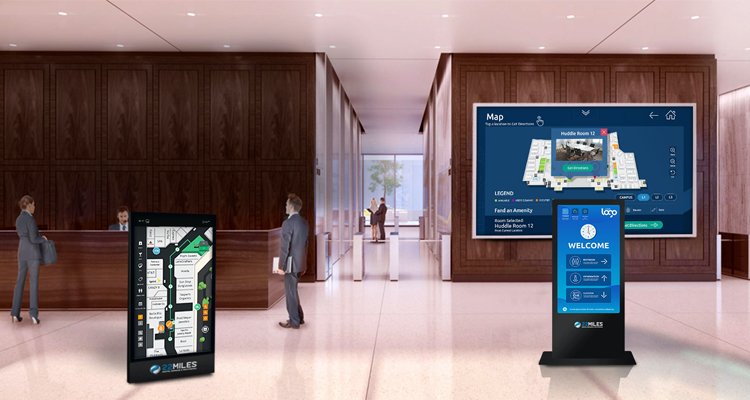
Our team placed interactive digital kiosks in key spots across campus. These kiosks featured a touch screen with a campus map that updated in real time, a directory of buildings and departments and an events calendar. The kiosks also provided updates on shuttle schedules, parking and emergency alerts.
The kiosks quickly became popular within the university. Students, faculty and visitors liked how easy they were to use and the amount of information available. The kiosks reduced crowding at information desks, improved campus navigation and enhanced the overall experience.
Boosting Restaurant Sales: Digital Menu Board Case Studies
Quick Service Restaurants are always looking for ways to make the dining experience better and increase sales. A popular fast food chain worked with us to put in place digital menu boards in their restaurants. Their aim was to create a menu that was more visually appealing and engaging that would increase how much people spent on average and improve how satisfied they were.
We created digital menu boards displaying high resolution images and videos of the restaurant’s menu items. The menu boards were programmed to change depending on the time of day, showing breakfast items in the morning, lunch specials in the afternoon and dinner entrees in the evening. The menu boards also featured promotional deals and upsell suggestions, encouraging customers to add extra items to their orders.
The results speak for themselves. The restaurant chain saw a 5% increase in how much people spent on average and a 10% increase in sales of featured menu items. Customers liked the clarity and visual appeal of the menu boards. Many said they were more likely to try new items after seeing them on the digital displays.
These Elpro Technologies case studies are just some of the successful projects we have completed for our clients. What makes Elpro different is how committed we are to delivering solutions designed for each customer’s specific needs. We work closely with our clients to identify their problems, develop strategies and achieve measurable results.
Our team has a lot of experience in digital signage and kiosk technology. We constantly look at new trends and innovations. We maintain close communication with our clients to make sure their projects are successful. We focus on understanding what the customer goes through and making every interaction the best it can be.
If you are looking to make your customer experience better, improve your operations or strengthen your brand, please contact us. I would be happy to talk about your needs and develop a solution that will help you achieve your business goals. Let these Elpro Technologies case studies inspire you to transform your business!
by super | Oct 9, 2025 | Elpro Technologies, Elpro Technologies Post
Imagine boosting your sales by 15% just by changing your screens. I have seen companies do just that with digital signage. That is why picking the right digital signage software is so important. I understand that with so many choices, it can be hard to know where to start. So, after spending a lot of time testing different platforms, I have put together this digital signage software comparison to help you make a smart choice. Whether you are running a small shop or a large corporation, the right software is key to getting your message across and grabbing people’s attention.
Why the Software You Choose Really Matters
Before we go any further, let’s talk about why picking the right digital signage software is a big deal. If you pick the wrong one, it can cause some serious problems. I have personally seen what happens when companies make bad software choices:
- Money Down the Drain: Spending money on a system that does not do what you need it to.
- Team Stress: Dealing with software that is hard to use or just does not work right.
- Lost Opportunities: Failing to show interesting content to the people you want to reach.
Reading a good signage software review can help you avoid these issues and make sure you get a system that fits your needs and your budget.
Important Things to Look for in Digital Signage Software
When you are looking at the best digital signage software, make sure it has these features:
- Content Control: Can you easily create, schedule and change your content?
- Hardware Compatibility: Will the software work with the hardware you already have, or will you need to buy new equipment?
- Scalability: Can the software handle your business as it grows, with more screens and more complicated setups?
- Access Management: How well can you control who has access to the software and what they can do?
- Performance Tracking: Does the software tell you how well your content is doing and how people are reacting to it?
- External Connections: Can the software connect to other tools you use, like social media or CRM systems?
- Cost Analysis: What will it cost you in total, including licenses, hardware and support?
Looking closely at these features will help you narrow down your choices and find the solutions that are most important to you.
An In-Depth Look at Top Digital Signage Platforms
Now, let’s take a look at some of the best digital signage software platforms out there. I will share information about what they can do, how much they cost and what users are saying about them so you can get a good overview of each one.
1. ScreenCloud
ScreenCloud is a popular option for businesses of all sizes because it is easy to use and has a lot of apps available. Its simple design makes it easy for anyone to create and manage content for digital signs.
- Key Features: Drag and drop editor, pre made templates, integrations with different apps (social media, news, weather), remote device control and content scheduling.
- Pricing: Offers different plans to fit different needs, available monthly or yearly, starting at about $20 per screen per month.
- User Reviews: Users like that it is easy to use, has good app integrations and has helpful customer support. Some users think it is too expensive for smaller businesses.
2. Yodeck
Yodeck is known for being affordable and having a lot of features. It is a great choice if you want something that is cost effective but still has a lot of capabilities. I was really impressed with what it could do, especially considering how simple it is.
- Key Features: Supports many different media formats, content scheduling, remote device management, user role management, screen grouping and Google Sheets integration.
- Pricing: Offers a free plan for one screen, with paid plans starting at about $8 per screen per month.
- User Reviews: Users appreciate that it is affordable, reliable and has great customer support. Some users have had problems with certain media formats.
3. NoviSign
NoviSign is great for advanced features and customization. It is a good choice if you need something that can be adapted and expanded easily. I especially liked how well it supports interactive content.
- Key Features: Tools for creating interactive content, touch screen compatibility, data integration, customizable templates, advanced scheduling and content triggers.
- Pricing: Offers different monthly and yearly plans. Prices start at about $20 per screen per month.
- User Reviews: Users praise its many features, customization options and consistent performance. Some users think the interface is not as easy to use as other platforms.
4. Scala
Scala is designed for large organizations, offering a full set of features to handle complicated needs. I thought their content delivery network was very reliable.
- Key Features: Sophisticated content control, network administration, audience metrics, data connectivity and support for different kinds of hardware.
- Pricing: Pricing is usually customized for each organization. Contact Scala directly for a quote.
- User Reviews: Users value its scalability, reliability and advanced features. Setting it up and managing it can be harder than with simpler platforms.
5. OptiSigns
OptiSigns is both flexible and easy to use, making it good for many different industries. It is known for being simple and having a comprehensive set of features. OptiSigns is a great option if you want an easy way to manage your digital displays. I found the drag and drop interface very simple to use.
- Key Features: Simple drag and drop interface, large template library, content scheduling, remote device control, integrations with popular apps (for example, Google Calendar, social media) and support for many media formats.
- Pricing: Offers different plans for different business sizes, including a free plan for basic use. Paid plans start at about $15 per screen per month.
- User Reviews: Generally positive, with users pointing out that it is easy to use, has a lot of features and has helpful customer support. Some have mentioned that there are some limitations in advanced customization.
What Affects Digital Signage Software Costs
Understanding what affects software pricing will help you make smart choices. Keep these things in mind:
- Screen Count: Most vendors charge for each screen, so the more screens you have, the more it will cost.
- Feature Set: More advanced features, like interactive content or data integrations, usually cost more.
- Contract Duration: Some vendors offer discounts if you sign up for a longer contract.
- Support Services: The amount of support and training included can change the overall price.
- Hardware Needs: Some software solutions might need specific hardware, which will add to the total cost.
Carefully think about what you need and what your budget is to find the most cost effective solution for your business.
Real Life Digital Signage Examples
Here are some real world examples to show how effective digital signage can be:
- Retail Environment: A clothing store uses digital signage to show off new items, promote deals and make shopping better. Sales went up by 15% after they installed the system.
- Hospitality Sector: A hotel uses digital signage to help people find their way around, promote services and give information to guests. Guest satisfaction improved a lot.
- Corporate Setting: A company uses digital signage to share company news, announcements and training materials with employees. Employee engagement and productivity went up.
These examples show how digital signage can improve communication, engagement and business results.
A Simple Guide to Picking Digital Signage Software
Picking the right digital signage software might seem hard. This guide is here to make it easier:
- Know What You Want: What do you want to achieve with digital signage? Do you want to increase sales, improve communication or make customers happier?
- Know What You Need: What features are most important to you? Think about content control, hardware compatibility and system integrations.
- Set a Budget: How much are you willing to spend on digital signage software? Include the cost of licenses, hardware and ongoing support.
- Do Some Research: Look at different software platforms and compare their features, pricing and user reviews.
- Ask for Demos: Most software vendors offer free trials or demos. Use these to test the software and see if it fits your needs.
- Read User Reviews: Read software reviews on independent websites. What other users say can give you good information.
- Make a Decision: After you have all the information you need, make a smart choice based on what you want to achieve, what you need and what your budget is.
What is Next for Digital Signage
Digital signage is always changing, with new technologies always improving what it can do. Here are some things to watch for:
- Artificial Intelligence (AI): AI can allow digital signage to show content that is specific to who is watching, based on their demographics, behavior and preferences.
- Interactive Features: Touch screens and gesture recognition are making the experience more engaging and interactive.
- Data Integration: Digital signage is being connected to other systems, like CRM and analytics platforms, to give more complete customer information.
- Cloud Based Solutions: Cloud based digital signage software is becoming more popular because it can be scaled easily, is flexible and is easy to manage.
As technology gets better, digital signage will keep becoming more important in communication and engagement strategies.
Conclusion: Choose Wisely
Picking the right digital signage software is an important decision that can have a big impact on your business. If you carefully think about your goals, needs and budget, you can find a solution that helps you communicate better and engage your audience. I hope this digital signage software comparison has given you the information you need to make the best choice. Do not forget to use free trials and demos to test different platforms before you commit to one for the long term.
by super | Oct 9, 2025 | Elpro Technologies, Elpro Technologies Post
Did you know that nearly 60% of users will ditch a kiosk if they find it difficult to use? That is a huge loss for any business. The secret to keeping those users engaged is simple: excellent kiosk design best practices. When kiosks are designed well, they become intuitive, efficient and dare I say, even a pleasure to use. Prioritizing user experience is no longer optional; it is the key to unlocking business success.
Think about the last time you interacted with a kiosk. Was it smooth sailing, or did you wrestle with confusing menus and unresponsive buttons? I have found that a user centered approach is the foundation of any positive kiosk experience. In my experience, strong kiosk UX directly translates into better business results. When you invest in user centered kiosk design, you invest in happy customers and a growing business. A well designed kiosk will provide:
- Enhanced Customer Experience: Transactions become quicker and tasks become simpler.
- Reduced Frustration: Errors are minimized and users do not give up.
- Improved Brand Image: Your organization looks good.
- Increased Efficiency: Processes are optimized and wait times are reduced.
I have seen companies that put user centered kiosk design best practices first report happier customers, higher transaction completion rates and lower support costs. These are not just ideas; they are real results from putting users first.
Knowing Your Users: The Start of Good Kiosk Design
Before you start designing, you need to know your audience. What do they need? What are their goals? How comfortable are they with technology? User research is key, and my plan usually includes:
- User Interviews: I talk to potential users about their past kiosk experiences.
- Surveys: I collect information on what users like and what they expect.
- Usability Testing: I watch users as they use kiosks or prototypes.
- Analytics Review: I look at data from existing kiosks to find areas to improve.
For example, when you are designing a kiosk for senior citizens, you have to think about things like larger fonts, easier directions and simple navigation. I remember one project I did for a senior center where the first kiosk design was a failure because it assumed users knew too much about technology. After talking to users, I changed the design to include larger buttons, simpler language and voice prompts. Kiosk usage went up a lot, and the feedback was very positive.
Important Kiosk User Interface (UI) Design Ideas
The user interface is what your kiosk looks like and how users interact with it. A good UI is easy to understand, looks good and is easy to move around in. Here are some main ideas to guide your kiosk design:
1. Keep Kiosk Design Simple
Get rid of anything extra. Focus on what is important and make sure it is easy to find. Use language that is easy to understand and do not use technical words. Do not put too many choices on each screen or users will get confused. You want to guide users easily through each step.
2. Make it Easy to Touch
Since kiosks are mostly used by touching the screen, your kiosk design has to work well for touch interaction. Make sure buttons are big enough and easy to tap. Let the user know when they have touched something. The touchscreen needs to be quick and correct.
I have seen kiosks fail because the touch areas were too small or too close together. Think about users who might be wearing gloves; the touch areas need to be large. Test with different hand sizes.
3. Make Sure Everyone Can Use It
Accessibility is often forgotten, but it is important to make sure everyone can use your kiosk, no matter what their abilities are. Follow accessibility rules like WCAG (Web Content Accessibility Guidelines) to make your kiosk accessible to people with disabilities. Use alternative text for images, use high color contrast and include keyboard navigation.
Think about things like adjustable screen height, audio output and tactile keypads. I once designed a library kiosk that had a footrest and adjustable screen angle for wheelchair users. These small things can make a big difference.
4. Use Visuals to Guide Users
Visuals help users and bring attention to what is most important. Use size, color, contrast and placement to create a clear visual flow. Make the main action stand out and use visuals to show the process.
5. Let the User Know What is Happening
Users need to know what is happening when they use a kiosk. Tell them that their actions are confirmed. Show progress indicators, error messages and confirmation screens. Do not use confusing messages.
For example, if a user enters the wrong information, tell them what the problem is and how to fix it. A simple “Error” message is not enough. Give helpful advice that allows users to solve problems.
Kiosk UX Design: Making the User Experience Great
Kiosk UX design is about the whole user experience. Great UX creates an easy, clear path that reduces problems and makes users happy. Here are some things to consider:
1. Plan the User Flow Carefully
Before you design the interface, plan out how the user will complete each task. Find the steps involved, possible problems and what you want the user to achieve. Design an interface that guides users logically and efficiently.
2. Keep the Number of Steps Low
The fewer steps it takes to complete a task, the better. Remove unnecessary steps and make the process easier. Show information only when it is needed. Do not overwhelm users with too much information at once.
3. Offer Help That is Easy to Find
Provide help when users need it. This could be instructions on the screen, tooltips or a help button that connects them to a live person. Make sure support is easy to access without stopping the task. A good FAQ section can often reduce the need for live help.
4. Test, Change and Keep Improving
Usability testing helps find UX problems. Test your kiosk with real users and ask for their feedback. Use this feedback to improve your design. Usability testing should always be happening, always improving the UX based on what users say. This is an important part of kiosk design best practices.
The Importance of How the Kiosk Looks
How the kiosk looks is just as important as the software. Consider these things:
- Height and Angle: Make sure the screen is at a good height for all users.
- Lighting: Put the kiosk in a well lit area to reduce glare.
- Stability: Make sure the kiosk is stable when touched.
- Privacy: Think about user privacy when they enter sensitive information.
- Durability: Use strong materials that can handle a lot of use.
I once saw a kiosk placed right in front of a sunny window. The glare made the screen impossible to read, making the kiosk useless. Simple things like where you put the kiosk are very important.
Security for Kiosk Design
Security is very important, especially if the kiosk handles sensitive information. Protect user information and prevent unauthorized access. I suggest the following:
- Data Encryption: Encrypt all sensitive data stored on the kiosk.
- Session Timeout: Automatically log users out after they have not used the kiosk for a while.
- Restricted Access: Limit who can access the kiosk’s operating system.
- Regular Updates: Keep the software updated with the latest security fixes.
- Physical Security: Secure the kiosk to prevent theft or damage.
I recommend talking to a security expert to check your kiosk design and find possible weaknesses.
Examples of Good Kiosk Designs
Here are some good examples:
- Airport Check in Kiosks: Speed up check in, allowing passengers to print boarding passes.
- Self Service Checkout Kiosks: Allow customers to scan items and pay without waiting in line.
- Information Kiosks: Provide information in museums and shopping centers.
- Ticketing Kiosks: Allow users to buy tickets for events and transportation.
These kiosks focus on user centered design, making them easy to use and providing a useful service.
What is Next for Kiosk Design?
Kiosk technology is always changing, and the future of kiosk design looks good. Kiosks will become more personalized, using technologies such as:
- Facial Recognition: To know who users are and personalize the experience.
- Artificial Intelligence: To provide smart help and support.
- Augmented Reality: To put digital information on top of the real world.
- Biometrics: To make security and authentication better.
User centered design will always be important. The future is bright if we keep designing with the user in mind, following kiosk design best practices.
Takeaway
Designing great kiosks means knowing what users need and focusing on usability. If you follow these kiosk design best practices, you can create kiosks that are both useful and enjoyable, leading to happier customers and better business results. I have seen the positive effects of well designed kiosks, and I encourage you to use user centered design in your own kiosk deployments.
by super | Oct 9, 2025 | Elpro Technologies, Elpro Technologies Post
Did you know over 60 million Americans navigate daily life with a disability? Now, picture them trying to use a self service kiosk. Kiosks are everywhere now: airports, shopping centers and more. Often, the experience is anything but smooth. It is not just about following the rules; it is about being fair. It is about making things better for everyone. That is why ADA compliance for kiosks is so important. Compliance is not just a rule; it is a way of thinking.
I have personally seen companies struggle with the Americans with Disabilities Act (ADA) guidelines. From screens that are too high for people using wheelchairs to a lack of sound for people who cannot see well, the results can be discouraging. When businesses ignore these rules, they could face legal problems. Even more importantly, they create obstacles that prevent individuals from getting the help they require. Let us see how we can make kiosks truly accessible.
The ADA makes very clear what is needed to ensure public places and technology are available to all. For kiosks, this means designing them so people with different disabilities are able to use them on their own without difficulty. These key points are most important to achieve real ADA compliance for kiosks:
- Wheelchair Access: People using wheelchairs should be able to easily reach the height and depth of the kiosk.
- Visual Accessibility: Use sounds, keypads users can feel and screen contrast that can be changed for individuals who cannot see well.
- Hearing Accessibility: Use images and text for people who cannot hear well.
- Cognitive Accessibility: Make user interfaces easy to use and easy to understand.
Just adding a few features is not enough. You must think about user experience and expect possible problems. Because kiosks are often not watched, you should also consider vandalism during the design stage. Careful planning is needed for successful ADA compliance for kiosks.
The Legal Problems of Not Following ADA Standards
You could face serious legal issues if you ignore ADA standards. The Department of Justice looks into complaints, checks businesses and starts lawsuits against those not following the rules. The results can include large fines, legal costs and having to fix kiosks that do not comply.
Legal problems are just the start. Not following the rules can seriously hurt your brand and push away customers with disabilities. Customers today want businesses to be inclusive and accessible. If you fail to meet what they expect, you could face bad publicity and lose loyal customers who care about ADA compliance for kiosks and similar technologies.
Designing Kiosks That Everyone Can Use: A Practical Guide
What do you need to do to ensure your kiosks follow ADA standards and provide a truly accessible experience? Here are important points to remember during design and setup:
Wheelchair Accessibility: Height and Reach Requirements
A key rule is making sure people using wheelchairs are able to easily reach the controls. ADA standards state that the highest control should be 48 inches and the lowest should be 15 inches. The deepest reach should be 20 inches. These numbers come from information about the reach of individuals with disabilities.
Carefully read the ADA standards during kiosk design to ensure these points are met. Make these measurements a priority from the start for achieving ADA compliance for kiosks.
Audio and Tactile Keypads for Users Who Cannot See Well
If someone cannot see well, audio and tactile keypads are important. Audio gives spoken directions and feedback, while tactile keypads allow physical input. The audio must be clear and correct compared to what is on the screen. Keypads should have raised letters or symbols that are easy to feel.
I once worked with a train station that was adding kiosks for tickets. At first, they did not think about audio. After talking with disability groups, the company realized how important it was for travelers who are blind or have trouble seeing. They added audio jacks and text to speech to the kiosks, making them available to more users.
Visuals and Screen Contrast for Low Vision
The experience for individuals with low vision can be much better with visuals and screen contrast. Visuals can include colors that stand out, large fonts and clear icons. Screen contrast allows users to change the display to meet their needs and lighting.
These features are helpful for people with low vision who may struggle to see the screen in certain light. Adjustable contrast allows them to see text and images more easily, improving their overall experience.
Simple Language for Cognitive Accessibility
Accessibility includes how easy something is to understand. Kiosks should use language that is clear and simple for users with cognitive disabilities. Stay away from technical language and complicated sentences. Use simple language to maximize clarity.
I recall a project where a client wanted to use very technical language on their kiosk. I said that this would make the kiosk hard to use for many. We simplified the language, using common words. The result was a kiosk that everyone could use.
Multiple Input Options
Offer a variety of input methods to suit different users. Touchscreens are common, but also think about physical buttons, voice control and even gestures. This allows users to use the kiosk in a way that is easy for them.
For instance, someone with limited hand movement might find voice control much easier. Someone with impaired vision might prefer physical buttons they can feel.
Testing and User Feedback: The Path to Success
The best way to check kiosk accessibility is by regularly testing with users who have disabilities. Ask for their feedback and use it to improve the design. This can include usability studies, groups or simply getting feedback through surveys.
Never assume you understand what works best for users with disabilities. Instead, include them in the design and listen to them. This will help you create kiosks that are truly accessible and centered on the user, ensuring complete ADA compliance for kiosks.
What is Next: Emerging Technologies
Technology is always changing, and so is kiosk accessibility. New technologies, like artificial intelligence and biometric authentication, are creating more accessible and personalized experiences.
How Artificial Intelligence (AI) Can Help
Artificial intelligence can translate languages in real time, give personalized recommendations and change interfaces to meet user needs. An AI kiosk could automatically detect the user’s language and show the interface in that language. It could also make recommendations based on what the user has done before.
I am very interested in the improvements in AI screen readers. These can describe images and videos in real time, making multimedia available to those who cannot see well. These technologies could change kiosk accessibility and create more inclusive interactions.
Biometrics for Security and Ease of Use
Biometric authentication, such as fingerprint scanning and face recognition, can offer a more secure and easy way for people with disabilities to access kiosk services. Someone with limited hand movement might find it hard to enter a PIN on a touchscreen. Biometrics offer a hands free option.
It is important to ensure biometric methods are accessible to all, including individuals with disabilities. This might involve offering other options, such as PINs, for users who cannot use biometrics.
Think About the Space Around the Kiosk
ADA compliance for kiosks goes beyond the device. It also includes the space around it. Check the path to the kiosk. Ensure there are no obstacles and include ramps and accessible paths. Kiosk placement is also important. Ensure there is enough floor space for a wheelchair. Are there any potential dangers?
Lighting is another key item. The area should have good lighting and little glare to help users who cannot see well. Images should be clear, using colors that stand out and large fonts. Also, think about noise. Too much background noise can stop users who cannot hear well from understanding audio. Addressing these things makes a more inclusive experience.
Staying Up To Date
ADA standards can change as technology improves. Staying up to date on the latest rules is important to ensure your kiosks follow the rules. The ADA website is a great place to start. Groups like the Disability Rights Education & Defense Fund also provide helpful information.
Going to industry events can also help. These provide opportunities to meet others and learn about new ideas. Staff training is also important. Your staff should know why accessibility matters and how to help users with disabilities.
Why Accessibility Matters
ADA compliance for kiosks is more than just following the law; it is the right thing to do. It is about creating a society where everyone can access the services and information they require. By focusing on accessibility, you show you care about social responsibility and improve the lives of individuals with disabilities.
I strongly believe that accessibility should be part of every stage of kiosk design, from the start to maintenance. It should be a guiding principle. When you prioritize accessibility, you not only follow the rules but also create a better experience for all.
By making kiosks accessible, businesses create a better environment for all, increase customer satisfaction and build loyalty. It is a win for everyone.
by super | Oct 9, 2025 | Elpro Technologies, Elpro Technologies Post
Our Brief History?
Elpro Technologies is a premier provider of industrial PCs, embedded systems, kiosks, digital signage, and industrial communication solutions across India. With years of expertise, we have established ourselves as a trusted manufacturer, supplier, reseller, and dealer catering to businesses in Bangalore, Karnataka, and major cities across India. Our wide range of products, including panel PCs, rugged computers, fanless systems, industrial touch monitors, and interactive kiosks, are designed to meet the evolving needs of modern industries. Whether you are looking for digital signage solutions, industrial IoT gateways, or SCADA communication systems, Elpro Technologies delivers unmatched quality, reliability, and support.
Elpro Technologies was founded with a vision to provide high-quality industrial computing and automation solutions to industries across India. Starting as a small enterprise in Bangalore, Karnataka, the company focused on manufacturing and supplying industrial PCs, rugged computers, panel PCs, and embedded systems to meet the growing demand for reliable factory automation and industrial computing solutions. With a strong commitment to innovation and quality, Elpro Technologies quickly earned the trust of businesses in Bangalore and its surrounding industrial hubs, positioning itself as a preferred industrial PC manufacturer and supplier in South India.
Over the years, Elpro Technologiess expanded its product portfolio to include touchscreen kiosks, digital signage, industrial communication solutions, and IoT-enabled edge computing devices, catering to clients not only in Bangalore but also in Hyderabad, Mumbai, Delhi, Chennai, and Pune. The company invested heavily in research and development to create customized, fanless, and rugged solutions capable of operating in harsh industrial environments. By focusing on cutting-edge technology and industry-specific requirements, Elpro Technologies became a leader in embedded systems and automation solutions, delivering highly reliable products across multiple industrial sectors.
Today, Elpro Technologies operates a network of manufacturing units, service centers, and distribution offices across India, ensuring timely delivery and support for clients nationwide. With a strong presence in major cities like Bangalore, Hyderabad, Delhi, and Chennai, the company continues to provide end-to-end solutions, from industrial PCs and embedded computing systems to interactive kiosks and digital signage solutions. Their commitment to excellence, innovation, and customer satisfaction has cemented Elpro Technologies as a trusted partner for industrial automation, smart factories, and digital transformation projects across India.
Industrial PCs & Computers
Elpro Technologies provides a comprehensive range of Industrial PC, Industrial Computer, Panel PC, and Rugged PC solutions designed for factory automation, manufacturing, and industrial operations. Our Fanless Computers ensure quiet, low-maintenance operation in harsh environments, while Industrial Panel PC Manufacturer India and Industrial PC Supplier India services guarantee premium devices tailored to client specifications. Based in Bangalore, we also offer IP65 Industrial PC Outdoor units and Rugged Industrial Laptop India for mobile industrial needs. Explore our Embedded vs Industrial PC solutions to select the best fit for your factory automation and smart manufacturing requirements.
Embedded Systems & Computing
Elpro Technologies excels in embedded systems and single-board computing solutions. Our range includes Embedded System Industrial India, Embedded Motherboard Industrial PC, Single Board Computer Industrial India, and Single Board Computers Automation, offering reliable performance for industrial automation. As a leading Embedded Systems Company India, we provide Edge Computing Gateway Industrial IoT and IoT Gateway / Edge Device solutions that integrate seamlessly with your production systems. Our Embedded System Industrial Use India products ensure scalable, efficient operations across industrial environments in Bangalore, Hyderabad, Mumbai, and Delhi.
Touch Displays, HMIs & Monitors
Our industrial touch displays, HMIs, and monitors deliver intuitive control and superior visualization for industrial applications. Products such as Industrial Touchscreen Monitor India, Touch Screen Monitor India Supplier, HMI Touch Panel Display India, and Industrial Touch Monitor Glass offer reliability and high-quality performance. We provide expert solutions for HMI Interface and HMI vs SCADA Explained to help industries in Bangalore, Chennai, Pune, and Kolkata enhance operational efficiency and monitoring.
Kiosk Solutions
Elpro Technologies is a trusted Touchscreen Kiosk and Touch Screen Kiosk Manufacturer India provider for retail, hospitality, and corporate environments. Our Interactive Kiosk, Self Service Kiosk Price India, Kiosk Manufacturer Bangalore, and Touchscreen Kiosk for Retail India solutions streamline customer interactions and optimize service efficiency. We also offer Kiosk with Printer India, Interactive Touch Screen Kiosk Printer, and Standalone Information Kiosk India Manufacturer for customized deployments. With our Touchscreen Kiosk Best Practices and guidance on Deploy Interactive Kiosks Retail, businesses across Bangalore, Mumbai, Delhi, and Hyderabad can achieve digital transformation effortlessly.
Digital Signage & Display Solutions
Our Digital Signage and Digital Signage Supplier Bangalore solutions empower businesses to communicate effectively with customers and employees. We provide Digital Standee 55 Inch India, Digital Signage Supplier India, Digital Signage Software India, and Digital Standee Advertising Display 55 Inch India for indoor and outdoor applications. Our offerings also include Maintain Outdoor Digital Signage, Digital Signage Trends India 2025, Digital Sign Player Media Player, Video Wall Controller, Outdoor Display IP-rated Display, and Digital Signage Company Bangalore. Elpro Technologies also showcases Case Study Digital Signage Deployment to demonstrate how our solutions enhance communication and engagement in Bangalore, Pune, Delhi, and Hyderabad.
Industrial Communication & Connectivity
Elpro Technologies offers a wide array of industrial communication solutions to connect and automate your systems efficiently. Products include Serial to Ethernet Converter RS-232 RS-485 India, Serial to Ethernet Converter Industrial Automation, Converter Modules RS-232 RS-485 Industrial, PLC Gateway, Wireless Industrial Communication, SCADA Communication, IPC Industrial PC, SBC Single Board Computer, and Edge Computing in Industrial IoT. Our solutions support industrial automation, smart factories, and IoT-enabled systems across Bangalore, Chennai, Pune, Mumbai, and Hyderabad.
Why Choose Elpro Technologies?
Elpro Technologies combines top-notch products, expert consultation, and reliable service to help industries across India achieve operational efficiency and digital transformation. With an extensive network of manufacturing units, suppliers, dealers, and resellers, our solutions are available for all major cities in India, including Bangalore, Hyderabad, Mumbai, Delhi, Chennai, Pune, and Kolkata. Whether you need industrial PCs, embedded systems, touch kiosks, digital signage, or industrial communication solutions, Elpro Technologies is your one-stop destination for high-quality, reliable, and future-ready technology.
Check the following other links below,
https://industrialpanelpc.co.in
- Industrial panel pc manufacturer in india
- Industrial panel pc supplier in india
- Industrial panel pc reseller in india
- Industrial panel pc dealer in india
https://industrialpcindia.in
- Industrial pc india manufacturer in india
- Industrial pc india supplier in india
https://touchmonitor.in
- Touch monitor dealer in india
https://digitalstandee.com
- Digital standee manufacturer in india
https://digitalsignages.co.in
- Digital signages manufacture in india
- Digital signages supplier in india
Industrial PCs & Computers
Embedded Systems & Computing
Touch Displays, HMIs & Monitors
Kiosk Solutions
Digital Signage & Display Solutions
Industrial Communication & Connectivity
Why Choose Elpro Technologies?
Elpro Technologies distinguishes itself as a multi-domain industrial technology company with expertise in manufacturing, supply, and distribution. Its focus on quality assurance, product innovation, and customer satisfaction has earned the brand the trust of thousands of industrial clients.
Key advantages include:
-
✅ In-house R&D and design capabilities
-
✅ Nationwide reseller and dealer network
-
✅ 24/7 support and product customization
-
✅ Competitive pricing with high-quality standards
-
✅ On-time delivery and service reliability
Whether it’s industrial automation, digital display solutions, or embedded computing, Elpro Technologies continues to lead with excellence, serving as a one-stop solution for advanced technology products in India.

Established in 2007, Elpro Technologies is a premier manufacturer, supplier, and retailer of advanced industrial computing and hardware solutions in India. We specialize in touchscreen kiosks, industrial panel PCs, digital signage, digital standees, industrial PCs, fanless computers, and single-board computers. Our products cater to a wide range of industries including manufacturing, logistics, healthcare, retail, education, and automation.
Why Choose Elpro Technologies?
With over a decade of experience, Elpro Technologies has built a reputation for delivering high-performance, durable, and innovative industrial solutions. We focus on providing customized hardware and software solutions to meet the specific operational needs of our clients. Our commitment to quality ensures that every product is reliable and designed for long-term performance in challenging environments.
Our Product Range
-
Industrial PCs & Panel PCs – Rugged computing solutions for factories, warehouses, and automation systems.
-
Touchscreen Kiosks & Interactive Kiosks – Self-service and customer engagement solutions for retail, airports, hospitals, and offices.
-
Digital Signage & Digital Standees – Advanced advertising and information display solutions for commercial spaces.
-
Fanless Computers & Embedded Systems – Energy-efficient, quiet, and compact computing devices for industrial and office use.
Services & Support
Elpro Technologies provides end-to-end services including product design, installation, technical support, and maintenance. Our dedicated team ensures seamless implementation and continuous support, making us a trusted partner for businesses across India.
Serving Clients Across Major Cities
We proudly serve clients in Bangalore, Hyderabad, Chennai, Delhi, Mumbai, Pune, Kolkata, and other major Indian cities. Our nationwide presence ensures timely delivery, installation, and service support.
Commitment to Quality & Innovation
At Elpro Technologies, customer satisfaction is our priority. We continuously innovate to offer reliable, high-quality, and industry-specific solutions. By combining cutting-edge technology with expert craftsmanship, we provide products that help businesses streamline operations, enhance productivity, and improve customer engagement.
Partner with Elpro Technologies
Whether you are looking for rugged industrial PCs for harsh environments, interactive digital signage for advertising, or advanced fanless and embedded computing solutions, Elpro Technologies guarantees tailored solutions, exceptional performance, and expert support. Partner with us today and experience India’s leading industrial technology solutions provider.
Explore Our Official Websites
Conclusion:
Elpro Technologies Bangalore stands as a trusted leader in Industrial PCs, Digital Signage, Touchscreen Kiosks, and advanced display systems. Over the years, the company has built a strong reputation for quality, reliability, and innovation, making it a preferred choice for businesses looking for robust industrial hardware solutions. With a customer-first approach, Elpro Technologies continues to serve clients across a wide spectrum of industries, providing products that deliver consistent performance and long-term value.
Beyond its headquarters in Bangalore, Elpro Technologies has expanded its delivery and support network to cover major cities across India. Whether your business is in Mumbai, Delhi, Chennai, Hyderabad, Pune, Kochi, Kolkata, or emerging industrial hubs, Elpro Technologies ensures timely delivery, installation, and service support. This pan-India presence reflects the company’s commitment to making world-class industrial and digital solutions accessible to enterprises of all sizes and sectors.
Every product offered by Elpro Technologies is designed and manufactured with strict quality standards, ensuring durability and superior performance even in challenging industrial environments. From rugged industrial computers and single-board systems to custom kiosks, vertical digital standees, and floor displays, Elpro Technologies provides a complete range of solutions under one roof. This end-to-end capability allows customers to enjoy seamless integration, easier maintenance, and a single point of contact for all their hardware needs.
With its head office in Bangalore and the capability to serve customers nationwide, Elpro Technologies is your dependable partner for industrial-grade technology and digital display solutions. By blending innovative design with robust support, the company ensures that every client receives a product and service experience that exceeds expectations.
For advanced and reliable touchscreen technology, choose Elpro Technologies, your trusted Touch Monitor Dealer in India. Explore our complete product range on touchmonitor.in and partner sites industrialpanelpc.co.in, industrialpcindia.in, digitalstandee.com, and digitalsignages.co.in.
Contact Elpro Technologies:
📍 Address: #43, 2nd Cross Road, P&T Colony, Opposite BWSSB Office, R.T. Nagar, Bengaluru – 560032, Karnataka, India
📞 Mobile: +91-8892147021 / +91-8892147023
📧 Email: sales@elprotech.in | info@elprotech.in
🌐 Website: www.elprotech.in
